
The blog
Shopify Customizer Build Time: Weeks vs 5 Minutes (2026)


Building a custom Shopify product customizer with a developer takes weeks to months from scoping to launch. Installing a ready-built personalisation app is a different order of magnitude entirely — Bespo's own setup guide gets the app embed and customisation block live in under 5 minutes, no developer required. That headline number hides the real cost on the custom side: a developer build also needs ongoing maintenance every time Shopify ships a theme update or changes checkout extensibility, work an app vendor absorbs for you.
TL;DR
- A custom Shopify product customizer takes weeks to months of developer time to scope, build, and QA in 2026.
- Bespo, a Shopify personalisation app, puts a live customiser on a product page in under 5 minutes, no developer needed.
- Live preview logic and production-ready file output are the two pieces that stretch a custom timeline the most.
- Custom builds carry ongoing maintenance costs every time Shopify updates a theme or checkout extensibility.
- Page-builder widgets sit in between: days to set up, but limited to whatever that builder supports.
Why this matters
The path you pick decides when personalisation actually starts generating revenue, not just when it's technically finished. A merchant who commits to a custom build in January might not have a live product page until spring, while a merchant who installs Bespo can be testing conversion lift on a single SKU the same afternoon.
Scope creep is the quiet killer on custom projects. A brief that starts as "let shoppers add a monogram" often grows into live preview, file validation, and variant pricing logic — each addition adds developer hours nobody quoted at the start.
How long does it take to build a Shopify product customizer?
The answer depends entirely on which of three paths a merchant takes. Here's how they stack up in 2026:
Custom developer build
- Time to launch: Weeks to months
- Developer required: Yes
- Best for: Fully bespoke logic no app supports
- Verdict: Hold — only if nothing off-the-shelf fits
No-code personalisation app (Bespo)
- Time to launch: Under 5 minutes to install the embed and block
- Developer required: No
- Best for: Merchants who want a live customiser fast
- Verdict: Buy
Page-builder widget
- Time to launch: Days, tied to that builder's release cycle
- Developer required: Some setup, limited code
- Best for: Stores already committed to one page builder
- Verdict: Skip for personalisation-only needs
The custom column is the one with no ceiling. A single embroidery option might take a developer a couple of sprints; a full live-preview configurator with multiple personalisation techniques, variant-based pricing, and production-file output is a multi-month project with no fixed end date until scope is frozen.
Custom developer build: weeks of developer time, no guaranteed launch date
A custom build runs through the same phases regardless of who's doing it: a scoping call to define which personalisation techniques are in play (embroidery, engraving, monogramming, print), wireframes and design mockups, a development sprint to wire up live preview, then QA across devices and browsers before launch. Each phase adds calendar time on top of whatever the developer is already juggling.
The part merchants underestimate is production-file output. Getting a customiser to spit out a print-ready or engraving-ready file for fulfilment is a separate engineering problem from the shopper-facing preview, and it's usually where custom timelines slip. A developer who hasn't scoped this upfront can lose weeks reworking the output pipeline after the frontend is already approved.
If a custom build is still the right call for a genuinely unusual requirement, write the brief before quoting the timeline — a vague brief is the single biggest reason custom Shopify customizer projects run long. Bespo's guide to briefing a developer for a Shopify customizer build covers what to nail down before the first sprint starts.
No-code app install: live in under 5 minutes
Installing a personalisation app skips every phase above except choosing which technique to offer. With Bespo, that's enabling the app embed, adding the customisation block in the theme editor, and picking a personalisation type — embroidery, engraving, monogram, embossing, debossing, or print. The live-preview customiser and the production-ready file output are already built; nothing gets custom-coded per store.
This is the path for merchants who don't have a genuinely unusual requirement, which covers most product personalisation on Shopify. Bespo's answer on customizing Shopify products without hiring a developer walks through what an app can and can't cover.
Verdict: Bespo wins on speed for any merchant who wants a live customiser this week, not this quarter.
Skip the developer queue
Add a live product customiser to Shopify without writing code.
Why build time varies
A handful of factors decide whether a build (custom or otherwise) takes a day or a quarter:
- Number of personalisation techniques — supporting embroidery, engraving, and print in one flow takes longer than supporting one.
- Live preview requirements — real-time rendering of text or artwork on a product image is more work than a static text field.
- Variant count — stores selling products with dozens of variant combinations need pricing and preview logic that scales with each one.
- Fulfilment integrations — connecting the customiser's output to a production queue, a print shop, or an in-house workflow adds an integration layer.
- Developer availability — an in-house developer already booked on other projects extends any custom timeline regardless of scope.
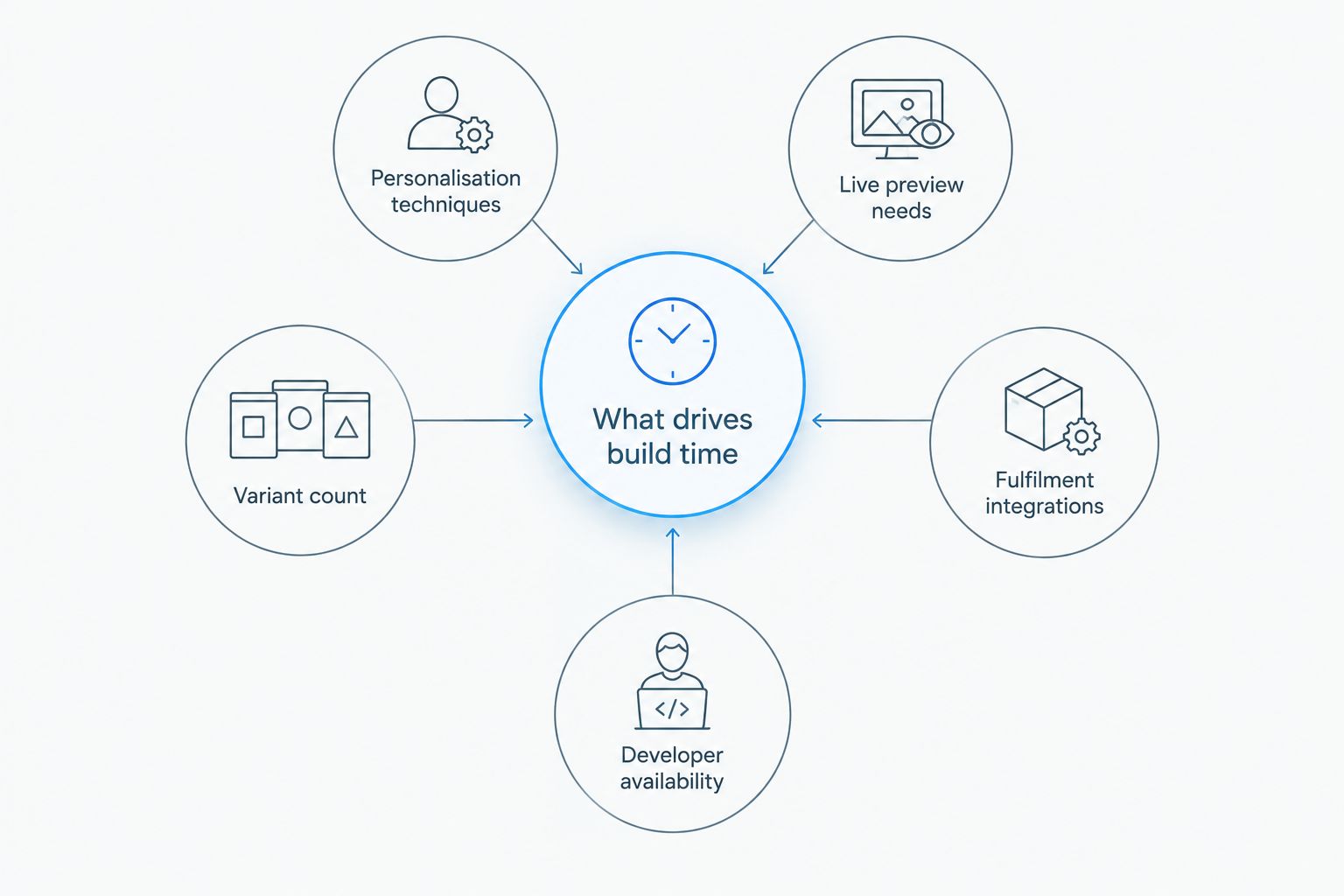
More personalisation techniques and integrations push a custom build further out on the calendar.
Is it cheaper to build a custom Shopify customizer or use an app?
Cost and time move together here: every extra week of developer time on a custom build is an extra week of developer cost, while an app charges a predictable recurring fee instead of open-ended hours. Bespo's breakdown of what a Shopify product customizer costs lays out the trade-off in more detail.
Do I need a developer to add product personalisation to Shopify?
No — not if an app covers the personalisation technique a store needs. Apps like Bespo handle embroidery, engraving, monogramming, embossing, debossing, and print through the theme editor, and a developer is only necessary for logic no app on the market supports yet.
FAQ
How long does it take to build a Shopify product customizer?
A custom developer build takes weeks to months depending on how many personalisation techniques and integrations it needs. Installing an app like Bespo puts a live customiser on a product page in under 5 minutes.
Can I add product personalisation to Shopify without a developer?
Yes. Apps built specifically for personalisation, including Bespo, add the customiser through the theme editor with no code and no developer hand-off.
What takes the longest in a custom Shopify customizer build?
Live preview rendering and production-ready file output for fulfilment are usually the two slowest pieces, not the shopper-facing form itself.
Is a custom-built customizer better than an app?
Only when the store needs personalisation logic no app supports. For standard techniques like engraving, monogramming, or print, an app launches faster and needs less ongoing maintenance.
Does a Shopify personalisation app need theme code changes?
Bespo works through an app embed and a customisation block added in the Shopify theme editor, which avoids direct theme code edits for most setups.
How much slower is a custom build if I add more personalisation techniques?
Each additional technique — embroidery, engraving, print — adds its own preview and validation logic, which extends a custom timeline every time scope grows.
Do apps output production-ready files like a custom build would?
Bespo outputs production-ready files for fulfilment as part of the app, which is the piece custom builds often have to engineer separately and later.
What's the fastest way to launch product personalisation on Shopify in 2026?
Installing a purpose-built app is the fastest route in 2026 — Bespo's setup takes under 5 minutes compared with a multi-week or multi-month custom build.
One last thing
The frontend preview is never what stalls a custom Shopify customizer build — it's the production-file pipeline that fulfilment actually needs. Ask any developer quoting a custom build how they'll generate print-ready or engraving-ready output, and the honest answer usually adds weeks to whatever timeline they gave first. An app that already solves that problem, like Bespo, removes the single biggest source of custom-build delay before a merchant ever signs a statement of work.