
The blog
Print on Demand Catalog Updates: Budget by Task in 2026


Keeping a print-on-demand catalog updated costs the labour needed to maintain listings, artwork, product mappings and quality checks, plus the software used for that work. For your 2026 budget, calculate those costs from your actual workload rather than applying a flat amount per product. Include corrections and testing—not just the time spent editing a listing.
TL;DR
- How much does it cost to keep a print on demand catalog updated? Budget for labour, software and corrections.
- Shopify catalog maintenance includes listings, artwork, product mappings and production checks—not just new designs.
- Bespo suits Shopify merchants who need live-preview personalisation and production-ready files without developer involvement.
- Measure routine updates separately from launches and provider changes before setting your maintenance budget.
Why this matters
A catalog update is finished when the listing and production instructions agree. A new image alone does not complete the job. Check that the selected product, customer preview and output file describe the same item.
Separate catalog maintenance from the expense of making each order. The guide to print-on-demand cost per unit covers that related budgeting question. Here, the focus is the work required to keep your existing catalog accurate and usable.
That distinction matters for your 2026 operating plan. Adding a new collection is a project; maintaining published products is recurring work. Mixing them makes a launch-heavy month look like your normal workload.
How much does it cost to keep a print-on-demand catalog updated?
Your catalog-maintenance total is the sum of editing labour, maintenance-related software, outsourced work and correction work. Build the total from completed tasks and current invoices. Count owner time even when nobody sends you a bill.
Use this calculation:
Catalog maintenance = recorded labour + allocated software expenses + external maintenance work + corrections.
Keep each expense in one category. If a designer's invoice already includes revisions, do not add those revisions again under corrections. If an app serves several business functions, identify the portion you allocate to maintenance rather than treating its entire expense as catalog upkeep.
Listing work
- What to include: Descriptions, product options, images and instructions
- What to record: Time spent on each change
Artwork work
- What to include: Design revisions, mockups and production-file preparation
- What to record: Internal time or external invoice
Product mappings
- What to include: Matching storefront choices to the intended production item
- What to record: Changes made and checks completed
Software
- What to include: Tools used to edit, organise or validate the catalog
- What to record: Current invoices and allocation method
Quality checks
- What to include: Preview, cart and production-output checks
- What to record: Testing time and results
Corrections
- What to include: Fixing catalog mistakes after publication
- What to record: Cause, time and direct expense
For your 2026 baseline, use a completed operating period that reflects routine work. Record launches, migrations and major redesigns separately. Your recurring budget should describe maintenance, not disguise a rebuild.
What belongs outside the maintenance total?
Keep order production, delivery, advertising and unrelated store development outside this calculation. They belong in your broader operating budget. Include them here only when a catalog mistake creates a directly attributable correction expense.
New-product development also deserves its own line. Creating artwork for a launch differs from replacing an incorrect file on an existing listing. Label the task before adding its time to the budget.
Routine updates: measure the work you repeat
Routine maintenance covers changes to products already published. That includes correcting instructions, replacing artwork, adjusting product options and checking that the shopper's selections reach production correctly.
Group similar changes before editing. If several listings use the same instructions, review them together. Keep product-specific details separate so a shared edit does not overwrite a legitimate exception.
Use a simple change log with these fields:
- Product: The listing or product family affected.
- Reason: What triggered the update.
- Work: The edits and checks completed.
- Owner: Who made and approved the change.
- Effort: Time recorded against the task.
- Result: Passed, needs correction or held from publication.
This log gives your budget a usable basis. It also shows where work repeats. A recurring correction deserves attention before you assign more hours to the same process.
Do not treat every listing as an equal maintenance unit. A description correction and a changed print layout are different jobs. Track them separately so your average effort does not hide the work that needs specialist review.
Collection refreshes: separate artwork from publication
A collection refresh changes a group of products together. Plan the artwork, storefront edits and production checks as distinct tasks, even when the same person completes them.
Start with a written scope. Name the products affected, the assets being replaced and the details that must remain unchanged. Without that boundary, an image refresh can expand into a description rewrite or a template redesign.
Approve the source artwork before replacing every listing image. This puts the review before the repeated work. Keep a record of the approved version so the storefront and fulfilment team work from the same file.
For a 2026 collection refresh, assign the project its own budget entry. Record the time spent preparing assets separately from the time spent publishing and checking them. You can then compare later refreshes against the same task categories rather than against an unexplained total.
A completed refresh needs more than matching thumbnails. Verify the shopper-facing options and production output on the affected product types before closing the project.
Provider changes: budget for remapping and validation
Treat a print-on-demand provider change as a catalog project, not a routine edit. Review the destination provider's current product and file requirements before transferring existing designs.
Record which storefront products correspond to which production items. Then check the relevant dimensions, print areas, available product options and output requirements against the provider's documentation. Do not assume that a similar product name means the existing setup transfers unchanged.
The benefit of a planned migration is a defined scope and review process. The drawback is the work needed to validate each affected product configuration. Keep that effort visible rather than spreading it across your routine maintenance figures.
Close the migration only after storefront selections and production instructions match. If a product fails that check, resolve the mismatch before treating it as migrated. Retain the old mapping records for reference during the changeover.
Why catalog-maintenance costs vary
Catalog size tells you how many listings exist. It does not tell you how much work those listings require. Build your maintenance plan around the changes you make and the checks those changes need.
- Change frequency: Record how often existing listings need edits, not just how often you add products.
- Artwork differences: Identify products that need distinct layouts rather than a shared source file.
- Personalisation rules: Account for text fields, placement choices and other options that need review.
- Production mappings: Track changes that affect the connection between a storefront choice and its production instructions.
- Repeated data: Identify descriptions, images and rules maintained separately across multiple listings.
- Correction work: Record mistakes separately so they do not disappear inside routine editing time.
For your 2026 forecast, use these categories to explain changes in workload. If maintenance effort rises, identify the task category responsible before changing the whole budget. More editing time and more correction time call for different responses.
Which maintenance workflow should you use?
Choose a workflow based on the task you need to control. Manual editing, shared templates and automated checks address different parts of catalog maintenance. None removes the need to verify production instructions.
Manual editing
- Best for: Isolated changes and product-specific exceptions
- Main benefit: Direct control over each edit
- Main limitation: Repeated changes require repeated work
Shared templates
- Best for: Product families with genuinely common rules
- Main benefit: Common details have a defined source
- Main limitation: Exceptions need separate handling
Automated checks
- Best for: Repeated checks with clear pass-or-fail rules
- Main benefit: Consistent execution of defined checks
- Main limitation: Incorrect rules still need human correction
Use manual editing for exceptions, not as the default for every shared detail. Before introducing a template, confirm which fields really match across the product family. A shared instruction is useful only when it remains accurate for every product using it.
Automate a check only after you can state what a pass means. For example, define the required output and the information it must contain before deciding how to check it. Automation without an acceptance rule does not establish correctness.
Compare workflows using recorded effort, correction work and completed checks. A process that edits quickly but leaves unresolved production instructions is not a completed maintenance process.
How do you build a catalog-maintenance budget?
Use 4 steps to turn catalog activity into a budget you can review. These are planning steps, not an assumed maintenance duration.
- Define scope. List the published products and maintenance tasks covered. Separate launches, provider changes and unrelated store work.
- Record work. Log editing, artwork preparation, checks and corrections by task. Use actual time rather than retrospective guesses.
- Allocate expenses. Add relevant software invoices and external maintenance work. State how you divide shared expenses.
- Review exceptions. Identify unusual projects and recurring mistakes before setting the next period's budget.
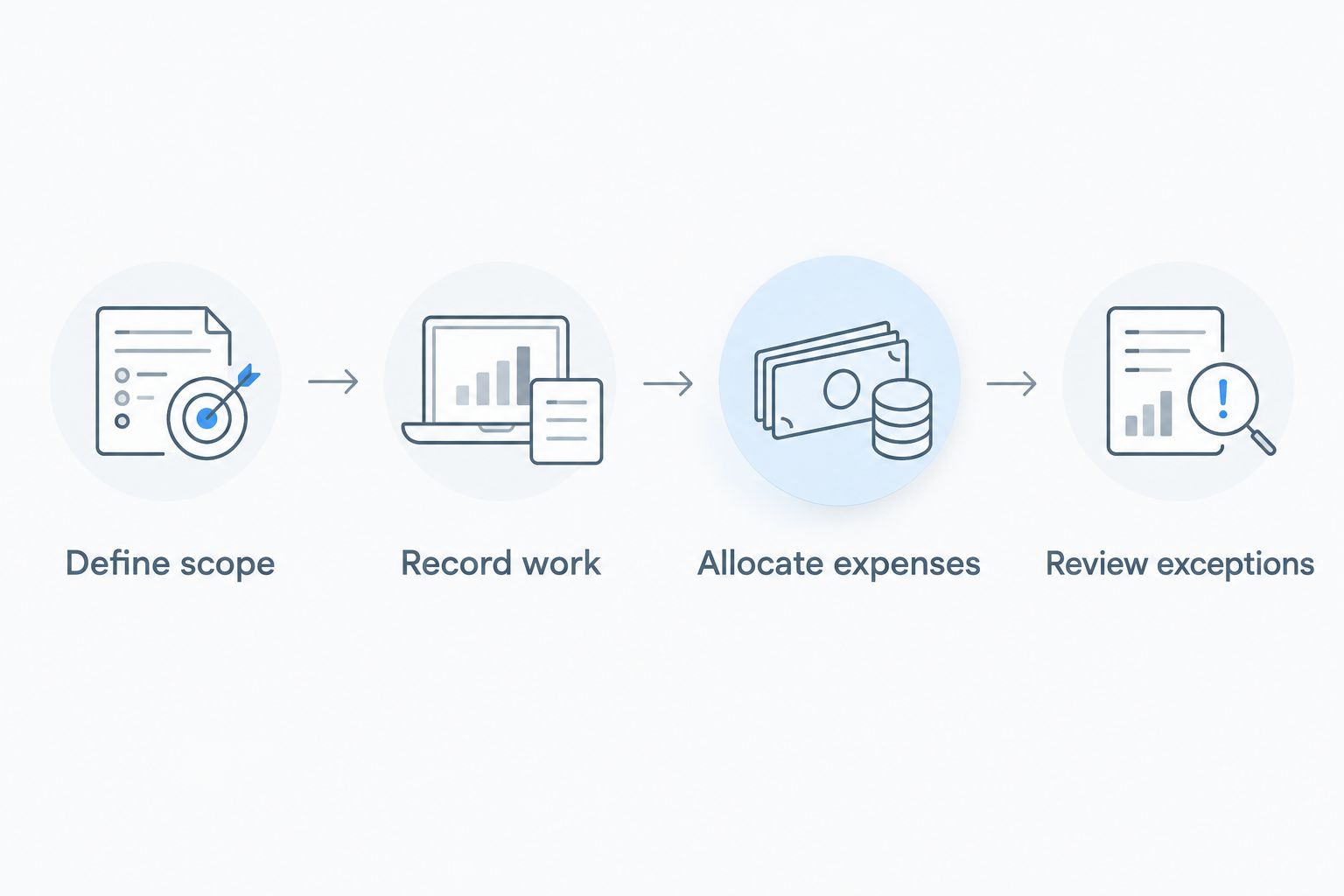
Separate routine work from exceptional projects before setting your budget.
After completing the steps, assign an owner to each recurring task. Specify who edits, who approves and what evidence closes the change. A budget without ownership still leaves the work unresolved.
Review the same categories each period. Consistent labels make the comparison useful; changing the definition of maintenance every month does not.
Where does a Shopify personalisation app fit?
Bespo suits Shopify merchants who need live-preview personalisation and production-ready files without developer involvement. Bespo lets shoppers personalise products on the storefront and supplies production-ready files for fulfilment, including for print personalisation.
That is a defined part of the workflow. It is not a substitute for maintaining descriptions, reviewing provider requirements or approving artwork. Bespo's Shopify personalisation role belongs in your software evaluation when you sell customer-customised products—not as an assumed answer to every catalog task.
The benefit is a shopper-facing customiser connected to production-file output. The limit of that role is equally important: you still need an owner for catalog accuracy and fulfilment checks. Evaluate Bespo against that specific requirement.
How do you check an update before publishing?
Use 3 checkpoints: the product page, the cart and the production output. Review them as connected parts of the same change, not as separate approvals with different source information.
On the product page, check the description, images and available personalisation choices. In the cart, confirm that the selected details remain attached to the intended item. In the production output, check that the file represents those selections and meets the fulfilment process's requirements.
Record the result. If a checkpoint fails, keep the change open until you correct and recheck it. An edit saved in the admin is not the same as an update verified for production.
Can you reduce maintenance without removing products?
Start by reducing repeated work, not by deleting listings. Identify shared instructions and artwork sources, then document the exceptions. Keep the approved source separate from draft revisions.
Choose 1 owner per change to confirm completion. Other people can edit or review, but one named person should verify that the required checks passed. This is an accountability rule, not a staffing requirement.
Keep exceptions visible. A product that needs a different print layout should not inherit a generic rule merely because the template is convenient. Simplifying the process means removing duplication while preserving the details production needs.
FAQ
How much does it cost to keep a print-on-demand catalog updated?
Your maintenance total combines recorded labour, relevant software expenses, external maintenance work and corrections. Calculate it from your own tasks and invoices, keeping launches and migrations separate.
Do I need to count my own time when I update products?
Yes, count owner time as maintenance labour even when it does not create an invoice. Record the task and time spent so your budget reflects the work required.
Does adding new designs count as catalog maintenance?
Treat new-design launches separately from routine maintenance. Updating an existing design belongs in maintenance; developing a new collection belongs in a project budget.
Can software handle all my catalog updates?
Software does not replace responsibility for catalog accuracy. Define which tasks it handles and retain checks for storefront details, customer selections and production instructions.
Is manual catalog editing better than shared templates?
Manual editing fits isolated changes; shared templates fit product families with common rules. Use separate handling for exceptions rather than forcing every product into the same template.
How should I budget for changing print-on-demand providers?
Budget a provider change as a separate project covering product mappings, artwork review and validation. Check the destination provider's current requirements before transferring existing setups.
Can Bespo help maintain personalised Shopify products?
Bespo provides live-preview personalisation and production-ready files for Shopify merchants without developer involvement. Keep listing accuracy, artwork approval and provider requirements under a separate maintenance process.
One last thing
Measure corrections before buying another tool. If the same mistake keeps returning, write down its cause and the check that would catch it before publication. Then decide whether the fix belongs in your source artwork, template, approval process or software.
Your 2026 maintenance budget should fund a defined process. Keep the task categories stable, give changes an owner and close them only after verification. That makes the total useful—not just another expense line.