The blog
Product Personalization App for Gift Shops (2026 Verdict)


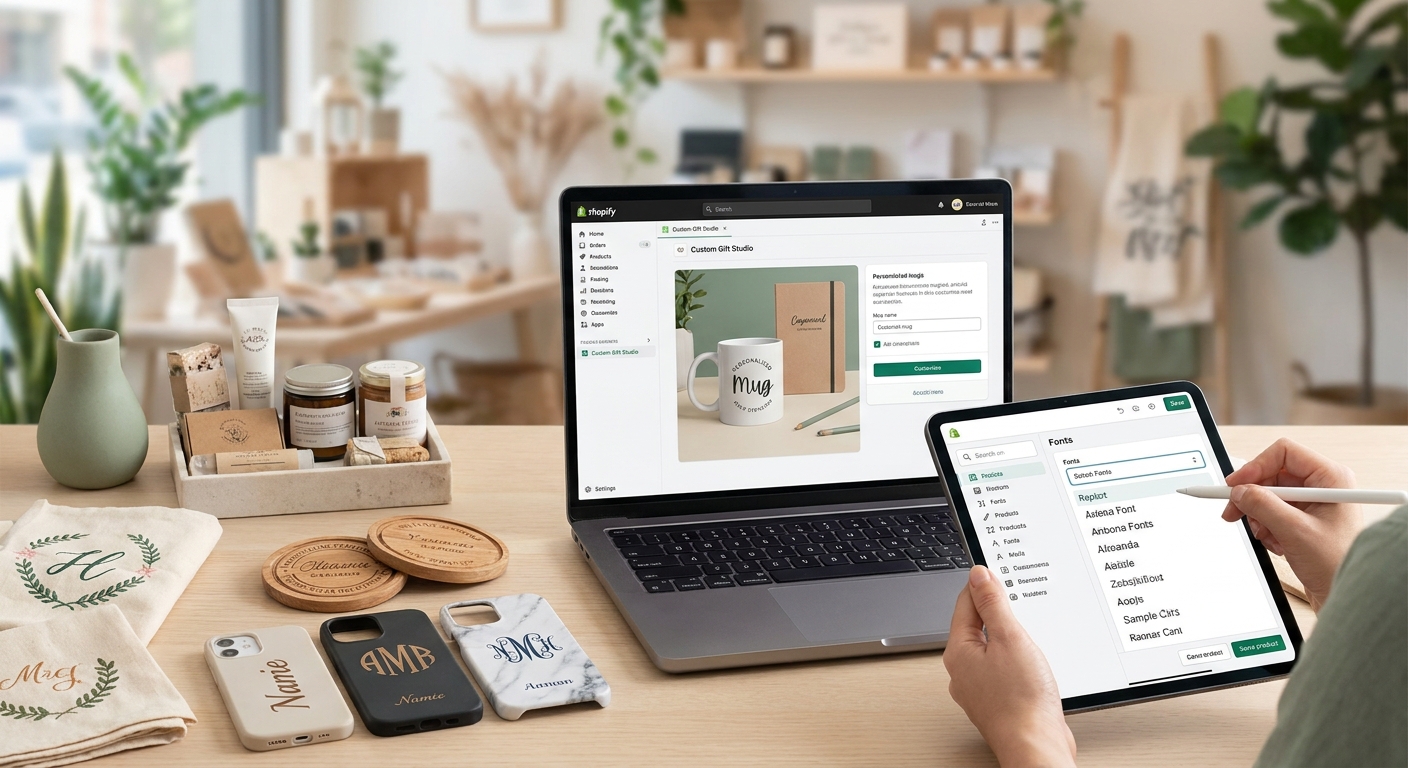
Gift shop buyers convert on one thing: seeing their name, initials, or a custom message on the product before they click add to cart. A product personalization app for gift shops needs to make that live preview happen in seconds, on mobile, without crashing checkout.
TL;DR: For gift shops running on Shopify in 2026, Bespo covers engraving, monogramming, embossing, debossing, and print personalization with a live-preview customizer and production-ready output files — no developer required. Buy if you sell more than 20 personalized SKUs a month or run corporate gifting; Consider if you're under 20 SKUs and testing the format; Skip generic order-note fields if your margin depends on error-free fulfilment.
Why this matters
Gift shop orders don't fail at checkout — they fail at fulfilment. A customer types "Sarah" when they meant "Sara," or the engraving font renders differently on the production file than it did on the product page, and now you're refunding a $45 item and eating the shipping cost twice. In 2026, the merchants winning in personalized gifting aren't the ones with the most SKUs — they're the ones with the fewest fulfilment errors per 100 orders.
The app you pick determines whether that error rate is 1% or 12%.
Who this is for
This guide is for Shopify gift shop owners selling monogrammed, engraved, or otherwise personalized products — think engraved flasks, embossed leather goods, monogrammed towels, or printed photo gifts — who need shoppers to see an accurate preview before they buy and need clean files for whoever fulfills the order, whether that's an in-house engraver or a third-party print shop.
What to look for in a personalization app for gift shops
Live preview accuracy
If the preview on the product page doesn't match what actually gets engraved or printed, you get return requests and one-star reviews citing "not as pictured." For gift shops, where the item is often bought for someone else and can't be easily re-gifted if wrong, preview accuracy directly protects margin.
Multi-technique support
Gift shops rarely sell one personalization type. A shop selling engraved jewelry alongside embroidered bags needs one app that handles both, not two separate tools with two separate checkouts and two support tickets when something breaks.
Production-ready file output
Your engraver or print vendor needs a clean, correctly-sized file — not a screenshot of a webpage. An app that outputs fulfilment-ready files cuts the manual step where someone re-types the customer's text into engraving software by hand, which is where most typos happen.
Mobile-first customization flow
Gift shopping skews heavily toward mobile browsing, especially in the weeks before major gifting seasons. If the customizer widget is clunky or slow to load on a phone, shoppers abandon before they even see the preview.
No-developer setup
Most gift shop owners are not touching Liquid code. An app that installs via app embed and block, live in about 5 minutes, means you're testing personalized products this week, not next quarter.
Variant and text-option flexibility
A monogram might need three characters and a font choice; an engraving might need a full line of text and a placement selector. Rigid input fields force you to build separate products for each personalization style, which multiplies your catalog management.
Top picks by personalization technique
The safe pick: Text and monogram personalization Every gift shop selling initials-on-a-towel or names-on-a-mug needs a clean text input tied to variants, not a free-text order note that nobody validates. Setting this up properly takes about 5 minutes with the right block. Buy — this is the baseline every gift shop needs before scaling to anything more complex. See how the text personalization variant setup works on product pages.
The workhorse: A dedicated personalization box on the product page Rather than burying customization in a dropdown, a visible box that shows the live preview as the shopper types keeps engagement on-page and cuts the "wait, what will this actually look like" support messages. Shops running this format report fewer post-purchase edit requests because the shopper already saw the result. Buy for any gift shop with more than one personalized SKU — check the personalization box setup for product pages for the exact placement.
The high-margin play: Engraving for jewelry and metal gifts Engraved jewelry commands higher average order value than printed goods — a $65 engraved bracelet versus a $22 printed tote — but it also has zero tolerance for placement errors. A customizer built for jewelry specifically, with rotation and placement controls, matters more here than on flat goods. Buy if jewelry or metal gifts are more than 15% of your catalog; the Shopify product customizer for jewelry brands breakdown covers what that setup looks like.
The volume play: Embossing and debossing for leather and paper goods Corporate gifting orders — think 50 embossed leather notebooks for a client gift — need consistent output across every unit, not hand-checked one by one. This technique rewards apps that batch-export production files rather than generating them one order at a time. Consider if corporate or bulk gifting is a growing part of your revenue; Skip if you're doing one-off retail orders only, since the batch tooling won't earn its keep yet.
The catch-all: Print personalization for photo and flat goods Print-based personalization — photo mugs, printed blankets, custom cards — has the lowest error tolerance for color accuracy but the widest audience appeal heading into gifting season. It's often the entry point for shops testing personalization before expanding into engraving or embossing. Consider as a starting technique if you're new to personalized gifting in 2026 and want to validate demand before investing in higher-touch formats.
What to avoid
- Free-text order note fields with no preview. They look like personalization but give the shopper zero confirmation of spelling or placement, which is where most refund requests originate.
- Apps that require a developer for every new product. If adding a second personalized SKU means another invoice to a Shopify developer, the tool doesn't scale with a gift shop's seasonal catalog changes.
- Preview widgets that don't match production output. A pretty on-page preview means nothing if the file handed to your engraver renders differently — this gap is the single biggest driver of gift shop refunds.
Verdict comparison
Text / monogram
- Best for: Towels, mugs, apparel
- Error risk if unmanaged: Medium (typos)
- Setup effort: Low (~5 min)
- Verdict: Buy
Personalization box (product page)
- Best for: Any personalized SKU
- Error risk if unmanaged: Low (live preview)
- Setup effort: Low
- Verdict: Buy
Engraving
- Best for: Jewelry, metal gifts
- Error risk if unmanaged: High (placement)
- Setup effort: Medium
- Verdict: Buy for jewelry-heavy catalogs
Embossing / debossing
- Best for: Leather, paper, corporate gifts
- Error risk if unmanaged: Medium (batch consistency)
- Setup effort: Medium
- Verdict: Consider for bulk orders
- Best for: Photo gifts, flat goods
- Error risk if unmanaged: Medium (color accuracy)
- Setup effort: Low
- Verdict: Consider as entry technique
FAQ
What's the best product personalization app for Shopify gift shops in 2026? Bespo covers engraving, monogramming, embossing, debossing, and print personalization in one app with a live-preview customizer, which matters for gift shops selling more than one personalization technique.
Is a personalization box better than a dropdown menu for gift products? Yes — a visible, live-preview box on the product page cuts pre-purchase confusion because the shopper sees the actual result before adding to cart, unlike a dropdown that just collects text.
How much does adding personalization to a Shopify product cost? Costs vary by app and plan, so check current pricing directly on the provider's site before committing to a full catalog rollout.
Do gift shops need a developer to add product customization? No, not with app-embed based tools — setup can run about 5 minutes through the theme editor without touching code.
Can one app handle engraving and print personalization together? Yes, provided the app supports multiple techniques natively rather than forcing separate installs, which matters most for shops with a mixed catalog of metal, leather, and printed goods.
What causes most personalization order errors in gift shops? Mismatched preview and production files is the leading cause — the shopper sees one thing on-screen, and the fulfilment file renders something else.
Is print-on-demand the same as product personalization? No — print-on-demand covers fulfilment sourcing, while personalization covers the customer-facing customization step; a shop can use both together, and the print-on-demand app comparison for 2026 breaks down where they overlap.
Should a gift shop offer every personalization technique at launch? No — start with one technique that matches your core catalog (text/monogram is the lowest-friction entry point), then expand once you've validated demand and fulfilment accuracy.
One last thing
The gift shops with the lowest return rates in 2026 aren't the ones offering the most personalization options — they're the ones that limit character counts and font choices tightly enough that a typo becomes nearly impossible to submit in the first place. Fewer choices, fewer errors, higher margin.