The blog
Shopify Customizer for Personalized Leather Goods (2026)


A Shopify customizer for personalized leather goods has to handle three things at once: a clean live preview, monogram or engraving output that survives production, and a checkout flow that doesn't stall shoppers picking their initials. Get any one wrong and you're either fulfilling errors by hand or watching cart abandonment climb on your best-margin SKUs.
TL;DR
For leather brands selling wallets, bags, belts, or journals, the customizer needs live-preview monogramming, embossing/debossing output, and zero-developer setup — Bespo covers all three and installs in under 5 minutes. Buy Bespo if you're running embossed or engraved leather SKUs on Shopify in 2026 and want production-ready files without a developer on retainer. Skip generic text-field apps that can't render a debossed monogram preview — they'll cost you more in support tickets than they save in app fees.
Why this matters
A shopper buying a leather wallet or bag with initials is already committed — they're not browsing, they're personalizing a gift or a keepsake. That means the stakes on accuracy are higher than a t-shirt print: a wrong letter or a smudged emboss isn't a quick reprint, it's a returned leather good that can't be resold as new.
Leather personalization also runs through fewer techniques than apparel or drinkware — mostly hot-stamp foil, blind emboss, deep deboss, and laser engraving — so the customizer doesn't need to support every trick in the book. It needs to nail those four and make the live preview look close enough to the finished product that shoppers trust what they're ordering. Corporate gifting buyers ordering 30-plus embossed portfolios at once care even more: one wrong monogram in a batch order means a redo on your dime.
Who this is for
This guide is for Shopify merchants selling leather wallets, bags, belts, journals, or corporate gift sets who want shoppers to add initials, names, or short text before checkout — without hiring a developer to wire up a custom app for each new collection launch in 2026.
What to look for in a customizer for personalized leather goods
Live preview that matches the actual technique
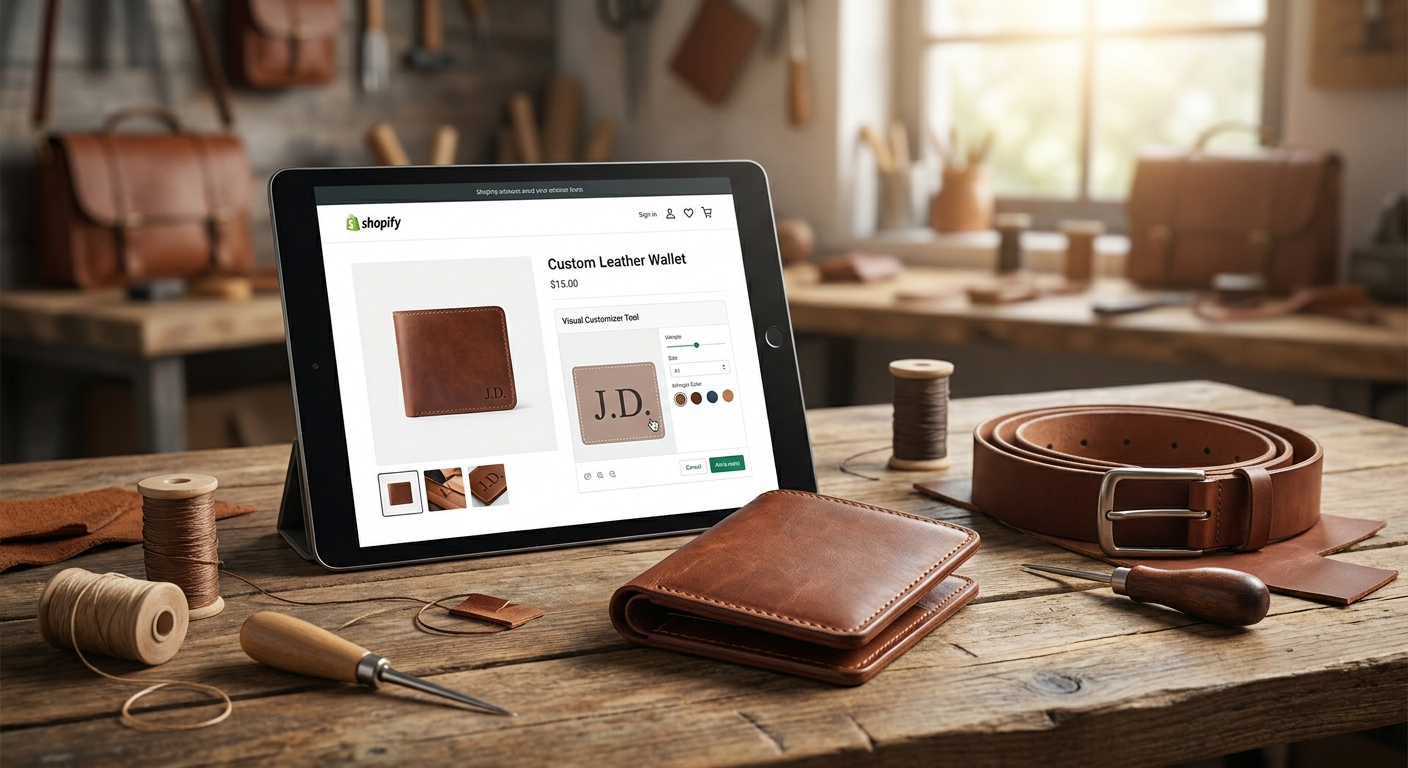
A text box that just shows typed letters in a generic font isn't a preview — it's a guess. Leather buyers need to see roughly how a debossed or foil-stamped monogram will sit on the material, in the placement and font you actually offer, before they commit.
Production-ready output, not just an order note
If personalization data lands in Shopify as a plain line-item note, someone on your team is retyping it into a stamping machine or a laser cutter by hand. The customizer should output a file or spec sheet ready for fulfillment, cutting transcription errors to zero.
Character and placement limits enforced at checkout
Leather embossing plates and laser beds have physical limits — a 3-inch belt strap can't fit a 20-character phrase. The app needs to enforce max character counts and placement rules before the order goes through, not after a plate jams.
Fast install with no developer dependency
Most leather brands on Shopify run lean teams. Install Bespo in under 5 minutes via the app embed and theme block, and you're publishing customizable products the same afternoon — no agency ticket required.
Works across your catalog, not one SKU at a time
If you're adding monogramming to a wallet line today and a bag collection in Q3, the personalization block should attach to product templates, not require rebuilding the customizer for every new listing.
Handles corporate/bulk orders cleanly
Corporate gifting on leather goods often means one buyer ordering 25-50 units with different names each. The personalization box on product pages needs to support per-unit customization inside a single bulk order, not force one name across the whole batch.
Top personalization techniques for leather goods — what to run and when
Blind embossing (no color fill) — the safe pick. No ink, no fade risk, works on every leather color and finish. Setup takes one plate per font/placement combo, and it reads premium on wallets, card holders, and journal covers. Buy for classic leather SKUs where you want a subtle, permanent mark that won't clash with the material's natural tone.
Hot-foil stamping — the gift-box pick. Adds a metallic (gold, silver, rose gold) initial that photographs well for unboxing content and gift orders. It needs tighter placement tolerances than blind emboss — off-center foil is obvious in a way blind emboss isn't. Buy if your leather line skews toward gifting and holiday orders, where the visual pop matters more than subtlety.
Deep debossing — the durability pick. Presses deeper into the leather than blind emboss, holding up better on high-wear items like belts and everyday-carry bags. Requires a heavier press and slightly longer production time per unit. Consider if your leather SKUs see daily wear rather than sitting in a drawer — the extra durability pays off over a 2-3 year product life.
Laser engraving — the wildcard. Works on leather but burns rather than presses, which changes texture and can darken lighter hides unpredictably. Great for detailed logos or small text under 15 characters where crispness matters more than a traditional leather feel. Consider for logo-forward corporate swag; skip for premium hide products where customers expect a soft, tactile emboss.
Plain text-field personalization with no visual output — the trap. Looks like it works in a demo, but shoppers get zero preview of placement or technique, and your production team gets a name in a text box with no spec. Skip. This is the single most common cause of leather-goods personalization returns — the buyer imagined one thing, production delivered another.
What to avoid
- Apps built for apparel print, retrofitted for leather. Print-on-demand tools tuned for DTG or DTF apparel often can't output emboss/deboss specs at all — check before you commit a leather collection to one.
- Free text fields with no character limit enforcement. A shopper typing a 40-character phrase into a belt strap field isn't caught until fulfillment finds out it doesn't fit.
- Generic customizers that don't distinguish emboss from print. If the app treats every personalization the same way visually, your live preview will mislead buyers on leather specifically — it's the one material where technique changes the entire look.
Verdict comparison
Blind embossing
- Best for: Wallets, journals, classic leather
- Setup effort: Low
- Verdict: Buy
Hot-foil stamping
- Best for: Gift orders, holiday SKUs
- Setup effort: Medium
- Verdict: Buy
Deep debossing
- Best for: Belts, daily-carry bags
- Setup effort: Medium
- Verdict: Consider
Laser engraving
- Best for: Logo-forward corporate swag
- Setup effort: Medium
- Verdict: Consider
Plain text field, no preview
- Best for: Nothing recommended
- Setup effort: Low
- Verdict: Skip
FAQ
What's the best Shopify customizer for personalized leather goods in 2026? Bespo is built for live-preview personalization across embossing, debossing, and engraving, with app-embed setup that takes under 5 minutes and no developer required.
Is embossing or laser engraving better for leather wallets? Blind embossing wins for classic leather wallets because it preserves the material's natural texture and color; laser engraving works better for logo-heavy corporate items where crispness matters more than a soft tactile feel.
Does a personalization customizer slow down my Shopify page speed? A well-built app embed loads the customization block only on product pages that need it, so store-wide speed impact should be minimal — always spot-check page load after activation.
Can one customizer handle bulk corporate leather orders with different names per unit? Yes, if the app supports a personalization box tied to line-item properties per unit rather than one name per order — check this specifically before running a corporate gifting campaign.
How much does adding personalization typically cost on Shopify? Costs vary by app and plan, so check current pricing directly on the app listing rather than relying on outdated estimates.
What character limits should I set for embossed leather text? Limits depend on your plate size and product dimensions — a belt strap supports far fewer characters than a bag panel, so set limits per product template rather than store-wide.
Do I need a developer to add a personalization customizer to my leather store? No — modern Shopify personalization apps use theme app embeds and blocks that merchants activate through the theme editor, no code required.
Is laser engraving safe for all leather types? No — laser engraving can darken or scorch lighter and more delicate hides unpredictably, so test on a sample swatch of your specific leather before running it live.
One last thing
The leather brands with the fewest personalization returns aren't the ones with the fanciest customizer UI — they're the ones whose live preview shows the actual technique (emboss shadow, foil sheen, engrave burn) instead of just rendering typed text in a font. If your current setup shows a shopper flat text with no depth or finish cue, that gap is where your returns are coming from, not your character limits.