The blog
Shopify Customizer for Engraved Jewelry: 2026 Verdict


Shoppers buying engraved jewelry want to see their initials on the ring before they pay for it, not after the laser has already cut. This guide breaks down what a Shopify customizer for engraved jewelry actually needs to do in 2026, and which setup earns a Buy versus which ones look right but fall apart at fulfillment.
TL;DR: Bespo is the verdict here — Buy if you sell engraved rings, bracelets, or pendants and need a live-preview customizer that shows the engraving on the actual product photo, then outputs a production-ready file for the laser or rotary engraver, no developer required. A generic personalization text box is not enough for a shopify customizer for engraved jewelry — you need character limits tied to piece size, symbol support, and a proof step before anything gets cut. Skip any app that renders text on a flat placeholder image instead of the real product.
Why this matters
Jewelry has zero room for a fulfillment mistake. A mispelled monogram or a font that doesn't fit the band isn't a return, it's a remake at your cost. That's why a jewelry brands customizer built specifically for engraving matters more here than in almost any other personalized category — mugs and apparel can absorb a slightly-off print, an engraved ring cannot.
The other reason this matters in 2026: engraved and monogrammed pieces convert at a premium price point, but only if the shopper trusts what they're about to order. If they can't see their own name on the actual ring before checkout, a chunk of them abandon at the cart. A live-preview customizer removes that hesitation at the exact moment it would otherwise kill the sale.
Who this is for
This is for Shopify merchants selling engraved or monogrammed jewelry — rings, bangles, dog tags, pendants, cufflinks — whether that's a solo jeweler doing a dozen orders a week or a corporate gifting operation processing hundreds of engraved pieces per quarter. If your product page currently uses a plain text field with no preview, or you're manually emailing proofs back and forth before every order, this guide is built for your exact problem.
What to look for in a Shopify customizer for engraved jewelry
Live preview on the actual product photo
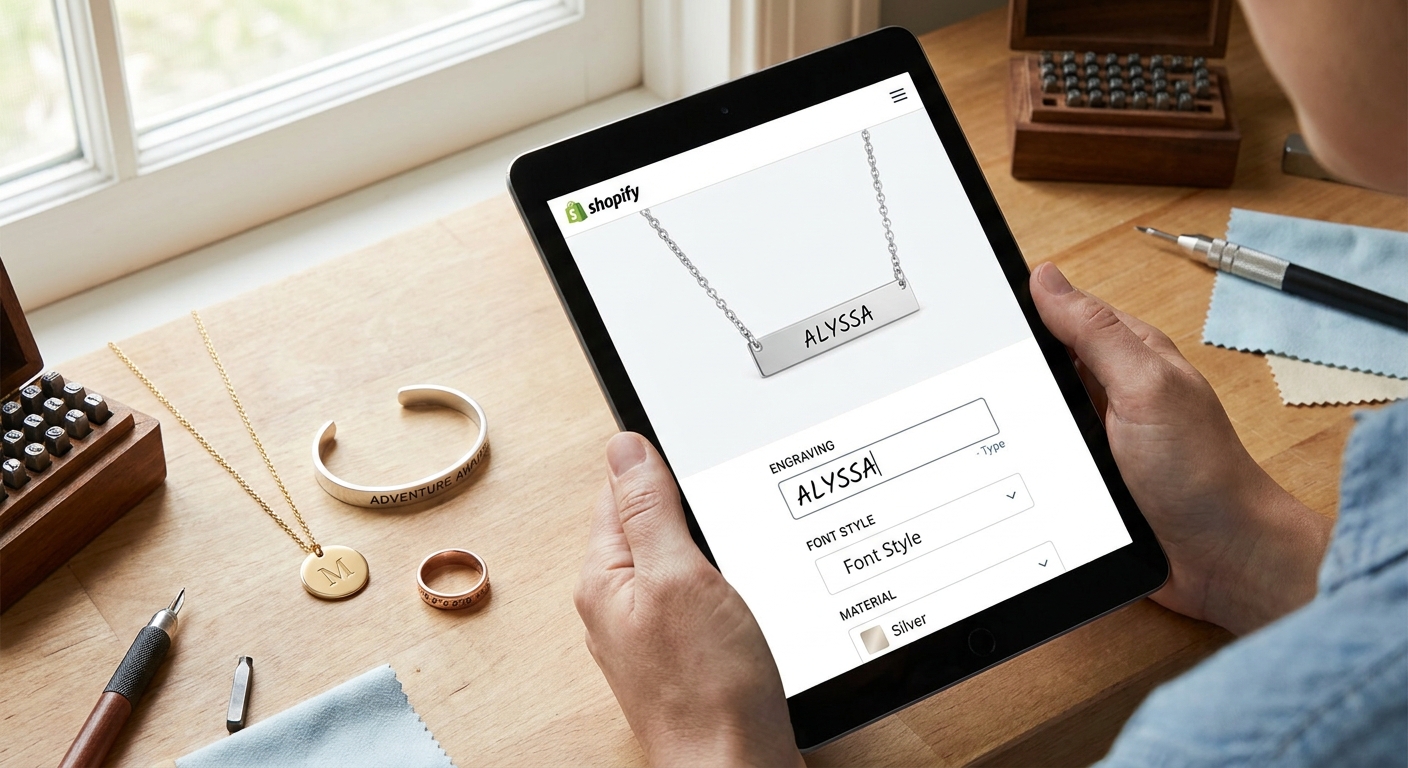
A text box that shows a generic font sample isn't a preview — it's a guess. Shoppers need to see their initials rendered directly on the ring or pendant photo, in the actual engraving style, before they click add to cart. This is the single biggest driver of confidence for a high-price, no-return purchase.
Character and line limits that match the piece
Most rings only have room for a short line — cram too many characters onto a narrow band and the engraving becomes unreadable or gets rejected by the engraver. The customizer needs to enforce limits per product, not apply one blanket rule across your entire catalog.
Production-ready output for laser and rotary engravers
Whatever the shopper approves needs to leave the app as a file your fulfillment team or engraving machine can actually use — not a screenshot someone has to manually redraw. This is where most generic personalization apps fall apart: they're built for print-on-demand, not for engraving hardware.
Variant-level personalization for ring sizes and metals
A size 6 ring in rose gold engraves differently than a size 10 in sterling silver. The customizer has to tie personalization options to the specific variant a shopper picks, not treat every SKU the same way.
A proof step before fulfillment
High-value engraved pieces need one more check between "shopper clicked buy" and "laser fires." A built-in approval or review step catches typos and formatting errors before they become an expensive remake.
Top picks for engraved jewelry stores
Bespo is built around exactly this workflow — live preview, engraving-ready output, no developer needed to set it up. Here's how it breaks down by use case.
The default pick — text and monogram engraving. This is the core setup for rings, bracelets, and pendants where the shopper types a name, date, or initials and sees it rendered on the product photo in real time. Setup runs about 5 minutes once the app is installed, using the personalization text option building block tied to your Shopify variants. Verdict: Buy for any store where the majority of orders are single-line engravings.
The symbol and motif pick. Some jewelry brands sell pieces where shoppers choose from a set icon library — a heart, an infinity symbol, a paw print — instead of free text. This works well for gift-forward SKUs where you want to control exactly what gets engraved rather than leaving it fully open-ended. Verdict: Buy if your catalog already leans on a handful of repeatable motifs.
The bulk corporate gifting pick. Corporate orders — a client engraving the same logo across 50 or more units for an employee gift run — need a different workflow than one-off consumer orders. The bottleneck isn't the preview, it's processing volume without a person manually checking every file. Verdict: Consider this configuration specifically if corporate or wedding-party bulk orders are a growing part of your revenue, not your core business yet.
The generic personalization box pick. A plain text field bolted onto a product page with no live rendering and no engraving-ready file output. It looks like a customizer in a screenshot, but it hands your fulfillment team a spreadsheet of typed names instead of a usable file. Verdict: Skip — this is the setup that causes the most engraving remakes in 2026.
What to avoid
- Flat-image previews. If the customizer shows the engraving on a stock mockup instead of your actual product photo, shoppers can't judge fit or spacing — expect more support tickets after the sale, not fewer.
- No character enforcement. An app that lets a shopper type 40 characters into a space built for 15 will pass the order straight through to a remake.
- Manual proof emails as your only safeguard. If your entire quality check is a human reading an email chain, that process breaks down the moment order volume climbs past a handful a week.
Verdict comparison
Live preview on real product photo
- Bespo (engraving setup): Yes
- Generic personalization app: Rarely
- Manual email proofing: No
Variant-level character limits
- Bespo (engraving setup): Yes
- Generic personalization app: No
- Manual email proofing: Manual only
Production-ready file output
- Bespo (engraving setup): Yes
- Generic personalization app: No
- Manual email proofing: No
Setup time
- Bespo (engraving setup): About 5 minutes
- Generic personalization app: Varies, often needs a developer
- Manual email proofing: N/A
Handles bulk corporate orders
- Bespo (engraving setup): Yes
- Generic personalization app: Limited
- Manual email proofing: Breaks down past a few orders
Verdict
- Bespo (engraving setup): Buy
- Generic personalization app: Skip
- Manual email proofing: Skip
FAQ
What's the best Shopify customizer for engraved jewelry in 2026? Bespo is the strongest fit for engraved jewelry stores in 2026 because it renders personalization on the actual product photo and outputs a file ready for laser or rotary engraving, without needing a developer to set up.
Is Bespo better than a generic personalization app for jewelry? Yes, for engraving specifically — generic personalization apps are usually built for print-on-demand goods like apparel or mugs, not for the variant-level character limits and file output that engraving hardware needs.
How much does a Shopify product customizer cost for a jewelry store? Pricing varies by app and order volume, so check current plans directly on the app listing rather than assuming a flat rate across every jewelry store.
Can shoppers preview engraving on a ring before buying? Yes — a live-preview customizer shows the exact text or symbol rendered on the actual ring photo before checkout, which is what separates a jewelry-ready customizer from a basic text field.
Does a jewelry customizer need a developer to set up? No. Bespo is designed for merchants to install and configure themselves, with setup typically taking around 5 minutes for a single product.
What file format do laser engravers need from a Shopify customizer? Engraving hardware needs a production-ready file it can read directly, not a screenshot or a plain text order note — this is the biggest gap in generic personalization apps.
Can a customizer handle bulk corporate engraving orders? A customizer built for engraving can handle bulk corporate runs, but if your volume regularly exceeds 50 units per order, plan for a bulk-specific workflow rather than the standard single-order path.
Is character-limit control necessary for engraved jewelry? Yes — without it, shoppers can submit text that doesn't physically fit the piece, which turns into a remake rather than a simple return.
One last thing
The stores that get the most out of an engraved jewelry customizer in 2026 aren't the ones with the fanciest preview animation — they're the ones that turned off free-text entry on their smallest pieces entirely and switched to a locked symbol or short-line format instead. Fewer options, fewer remakes.