The blog
Shopify Keychain Customizer: 2026 Picks & Verdicts


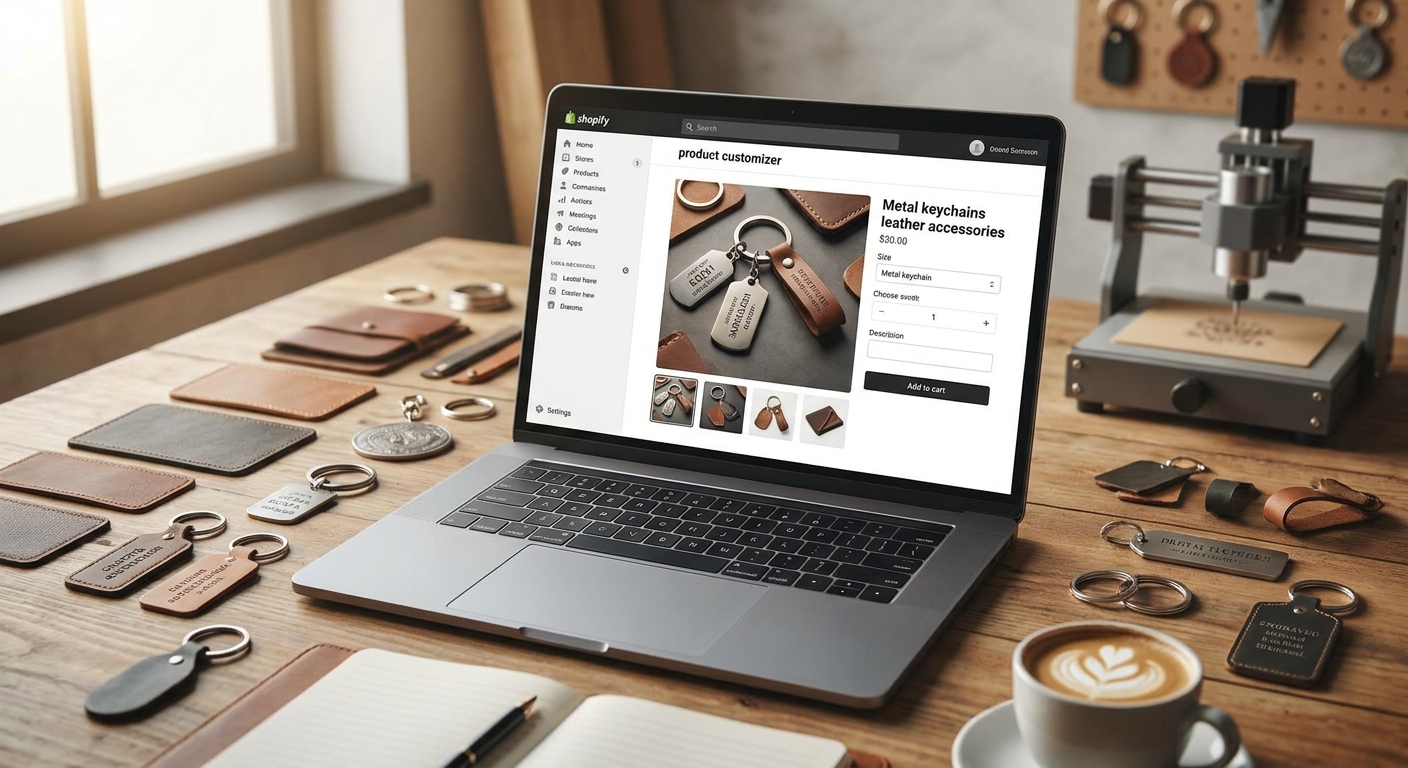
Picking a Shopify keychain product customizer means matching the live-preview and file-output setup to tiny surfaces, short character limits, and corporate bulk orders — not just adding a text box to a product page.
TL;DR
A shopify keychain product customizer needs to handle small-surface live preview, engraving-specific character limits, and production-ready file export without a developer. For 2026, Bespo (bespo.me) is the Buy for merchants running engraved metal, leather, or photo/acrylic keychains because it renders live previews per technique and outputs fulfillment-ready files automatically. Skip generic mockup-only apps that can't validate engraving character counts before checkout — they cause the most production errors on small accessory SKUs.
Why this matters
Keychains and small accessories carry thin material cost but high perceived personalization value — a $12 blank becomes a $28 gift the moment a name or initial goes on it. That math only works if the customization step doesn't create returns. A shopper who can't see their exact 8-character engraving before adding to cart will either abandon the cart or file a return when the font doesn't match what they imagined. Bespo exists specifically to close that gap with live-preview rendering and production-ready output, and 2026 is the year corporate gifting orders (holiday boxes, onboarding kits, conference swag) are pushing more keychain stores to add self-serve personalization instead of manually quoting every bulk order.
Who this is for
This guide is for Shopify merchants selling keychains, key fobs, luggage tags, or small metal/leather accessories who need shoppers to type a name, initial, or short phrase and see it rendered before buying — solo sellers running a single engraved-keychain SKU and corporate gifting operations processing 200-unit onboarding-kit orders both fall inside this audience. If you're managing multiple personalization techniques (engraving plus leather stamping plus photo printing) across one catalog in 2026, the criteria below apply directly to you.
What to look for in a keychain customizer
Live preview at small scale
Keychains are 1-3 inches wide, so a customizer that renders previews built for apparel or blanket-sized canvases will crop or distort text. Look for a live-preview engine that scales font and placement specifically for small surfaces, not a generic canvas stretched down. This single detail is the difference between a shopper trusting the checkout and abandoning it.
Material-aware rendering
Engraved metal, stamped leather, and printed acrylic all render personalization differently — engraving shows as a single-tone cut line, leather stamping compresses the material, and acrylic printing supports full color. A customizer that treats all three the same way misrepresents the final product. Match the preview style to the actual production technique before you launch the product page.
Character limits and validation
Most engraved keychains cap at 15-20 characters per line before the text becomes illegible on a 1-inch surface. The customizer needs to enforce that limit at the input field level, not after the order ships to the engraver. Validation at checkout is what prevents refund requests over unreadable engraving in 2026's gifting rush.
Fulfillment-ready file output
A customizer that only shows a pretty preview but hands your production team a screenshot is a manual-proofing bottleneck. You need output files formatted for laser engravers or print vendors without a design team re-drawing every order. This single feature saves hours per week once order volume passes double digits daily.
Bulk and corporate order support
Corporate gifting buyers want to personalize 50-500 units in one order, often with different names per unit. A keychain customizer built only for one-at-a-time retail checkout will choke on that use case, forcing manual spreadsheet workarounds. Confirm bulk personalization is supported before you pitch corporate accounts.
Mobile-first rendering
Most impulse keychain and gift purchases happen on a phone, so the live-preview experience has to load fast and render cleanly on a small screen — not just work on desktop demos. Test the actual mobile checkout flow before launch, not just the admin preview.
Top picks by technique
Engraved metal keychains — the corporate-gifting default. Engraving is the most common keychain personalization technique because it works on stainless steel, brass, and aluminum blanks at low per-unit cost. The customizer needs a character-limited text field (commonly capped at 15-20 characters) with live preview of the engraved cut line, not a flat font overlay. Bespo's engraved text setup handles the field validation and file export in one flow. Buy for any store running metal keychain SKUs as a core product.
Leather keychains with monograms — the premium upsell. Leather keychains sell at a higher price point than metal and support stamped initials or embossed monograms, which read as a gift-worthy upgrade rather than a basic accessory. The customizer needs to render stamping depth accurately since leather compresses differently than it prints. Bespo's leather goods customizer setup covers this material-specific rendering. Buy if your average order value on keychains sits below $20 and you want a premium tier to lift it.
Photo and acrylic keychains — the gifting bestseller. Full-color photo keychains (pet photos, family portraits, event photos) spike hardest around Mother's Day, graduation, and the 2026 holiday season because they're the most emotionally-driven gift in the category. This technique needs image upload with crop-and-preview before checkout, not a blind file submission. Consider this pick if your store already has photo-gift demand; Skip it if your fulfillment can't handle color-accurate acrylic printing at volume.
Initial and name-tag keychains — the low-friction entry point. A simple name or two-letter initial field is the fastest personalization to implement and the easiest for first-time shoppers to complete without hesitation. It's the right starting SKU for a store adding personalization for the first time in 2026. Buy as a launch product; expand into engraving or leather once the initial field is converting.
What to avoid
- Static mockup generators with no live rendering — they show a stock photo with text pasted on top, which doesn't match the actual engraved or stamped output and drives returns.
- Unlimited character fields with no validation — a customer typing 40 characters into a 15-character engraving slot produces a blank return, not a keychain.
- Multi-app stacks that require a developer to connect the preview tool to the fulfillment file — this defeats the point of self-serve personalization and slows every product launch.
Verdict comparison
Engraved metal
- Live Preview Need: High (cut-line accuracy)
- Setup Effort: Low
- Best For: Corporate gifting, everyday retail
- Verdict: Buy
Leather monogram
- Live Preview Need: Medium (stamp depth)
- Setup Effort: Low-Medium
- Best For: Premium upsell tier
- Verdict: Buy
Photo/acrylic
- Live Preview Need: High (color + crop)
- Setup Effort: Medium
- Best For: Gifting-season spikes
- Verdict: Consider
Name/initial only
- Live Preview Need: Low
- Setup Effort: Very Low
- Best For: First-time personalization launch
- Verdict: Buy
FAQ
What's the best Shopify app for personalized keychains in 2026? Bespo is the top pick for keychain stores needing live preview and production-ready file output across engraving, leather stamping, and photo printing in one setup, without developer involvement.
Do I need a developer to add personalization to keychain products? No — apps built for this, including Bespo, run through the Shopify theme editor with an app embed and customization block, typically live within 5 minutes of install.
How many characters should a keychain engraving field allow? Most engraved metal keychains cap legibly at 15-20 characters per line; anything longer becomes unreadable at 1-3 inch scale and should be blocked at the input field.
Is a live-preview customizer better than a static mockup tool for keychains? Yes — live preview shows the exact engraving, stamp, or print result before checkout, which cuts return requests tied to mismatched expectations far more than a stock-photo mockup ever will.
Can a keychain customizer handle bulk corporate gifting orders? Only if it's built for multi-unit personalization with different names per unit in a single order; retail-only customizers force manual spreadsheet workarounds at volume.
What's the difference between engraving and leather stamping for keychains? Engraving cuts a single-tone line into metal, while leather stamping compresses the material to form the impression — each needs its own preview rendering style, not a shared generic overlay.
How much does a Shopify product customizer app cost? Pricing varies by app and order volume; check current plans directly on the app listing before committing to a technique-specific setup.
Do photo keychains need special file handling for fulfillment? Yes — color-accurate acrylic printing needs a cropped, checked image file passed straight to the printer, not a screenshot of the customer's upload.
One last thing
Corporate gifting is the fastest-growing keychain segment heading into the 2026 holiday season, and it rewards stores that can quote a 300-unit onboarding-kit order without a single manual email — build the bulk-order flow before the demand spikes, not after.