The blog
Best Shopify apps for custom bobblehead products


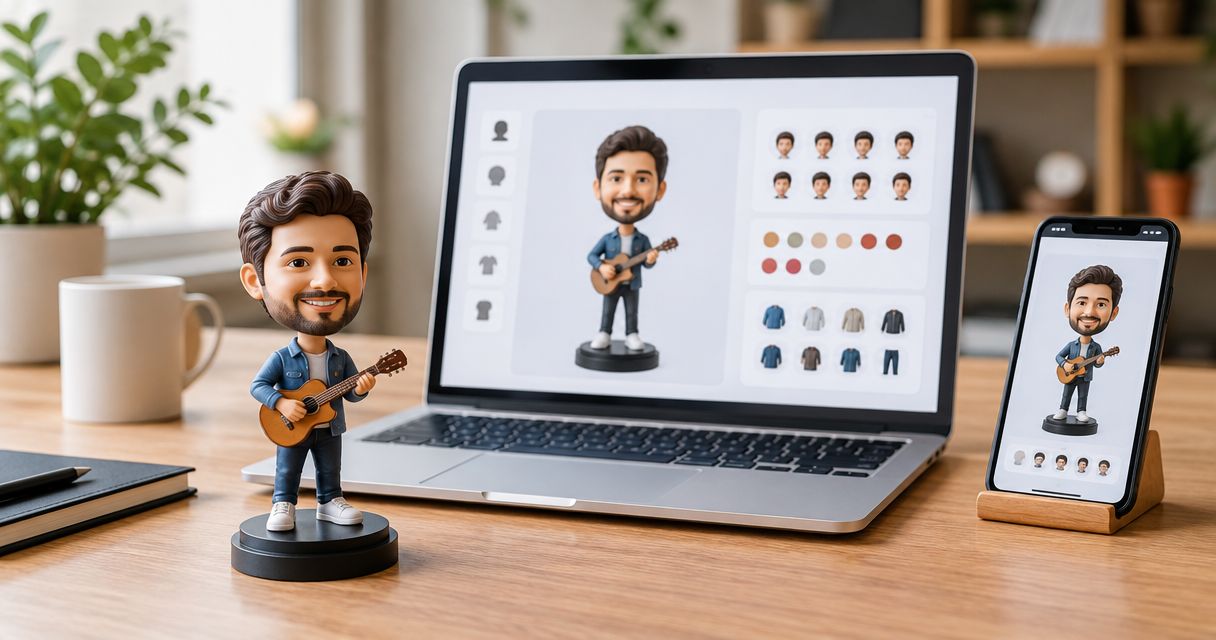
Best for personalised bases: Bespo. Best for visual product configuration: Kickflip. Best for simple selection fields: Infinite Options. Best for reference-photo uploads: Upload-Lift. The best Shopify apps for custom bobblehead products in 2026 depend on whether you need to collect a sculpting brief, preview selectable parts, or personalise the finished base.
TL;DR
- The best Shopify apps for custom bobblehead products solve different jobs: photo intake, product options, previews, and production handoff.
- Bespo is best for Shopify product personalisation on engraved or printed bobblehead bases, without developer involvement.
- Kickflip suits visual configuration; Infinite Options suits straightforward selection fields; Upload-Lift suits reference-photo collection.
- A storefront preview is not approval of a sculpted likeness. Keep customer proof approval separate.
Why this matters
A bobblehead order contains more than a product selection. Your maker needs the right reference photo, the chosen body, any accessories, and the exact wording for the base. Your customer needs to understand what the preview represents.
Choose the app around the production brief, not the longest feature list. A polished product page does not solve an incomplete order. Separate the details customers can select from the artistic decisions your sculptor must interpret.
For your 2026 shortlist, treat storefront configuration and manufacturing as separate jobs. An app that previews engraved text does not establish facial likeness. An app that accepts a photo does not turn that photo into a manufacturing file.
What makes the best custom bobblehead app?
Use these criteria before choosing a Shopify app:
- Reference intake: Customers need clear photo instructions and a reliable way to attach the correct image to the correct item.
- Structured choices: Body style, outfit, pose, accessories, and base wording should be separate selections, not a single unstructured message.
- Honest previews: Show selectable elements accurately. Label illustrations and mockups so customers do not mistake them for an approved sculpture.
- Production handoff: Check what the maker receives after checkout: selections, wording, reference files, and order identification.
- Proof control: Define how customers approve the sculpted likeness and how your team records the approved revision.
- Theme fit: Test the product page, cart drawer, checkout, and mobile experience on your actual storefront.
Do not require every app to do everything. Require every piece of information to reach the person who needs it. That distinction keeps your setup focused.
Shopify bobblehead apps at a glance
The 2026 comparison below separates the apps by their strongest relevant use case. It does not rank sculpture quality or manufacturing capability.
Bespo
- Best for: Engraved or printed base personalisation
- Standout feature: Live-preview customiser and production-ready files
- Key limitation for bobbleheads: Base personalisation does not establish sculpted facial likeness
Kickflip
- Best for: Visual configuration of selectable components
- Standout feature: Real-time product previews
- Key limitation for bobbleheads: You must prepare visuals for the choices you sell
Infinite Options
- Best for: Simple, structured product selections
- Standout feature: Text fields, dropdowns, and other option inputs
- Key limitation for bobbleheads: Selection fields are not a sculpting preview
Upload-Lift
- Best for: Collecting customer reference images
- Standout feature: Product-page file uploads
- Key limitation for bobbleheads: File collection does not replace a complete production brief
Best for is the deciding column. Start with the job your current product page fails to complete, then assess the relevant app against an actual order.
1. Bespo: best for personalised bobblehead bases
Bespo is best for Shopify merchants adding live-preview engraving or print personalisation to bobblehead bases. It supports real-time product personalisation, lets merchants configure their storefront without developer involvement, and outputs production-ready files for fulfilment.
Keep the scope precise. Use the customiser for the supported personalisation technique, while keeping the sculpted head and its approval process separate. A name on a base is a defined design choice; a likeness based on photographs is an artistic brief.
Bespo pros:
- Shoppers see supported personalisation through a live preview.
- Merchants can add personalisation without developer involvement.
- Production-ready files support the handoff for the configured technique.
- Engraving and print are explicitly supported personalisation methods.
Bespo cons:
- A base preview is not evidence of the finished head's likeness.
- Production-ready personalisation files are not automatically sculpture-ready files.
Best for: Stores selling bobbleheads with personalised names, messages, or other supported decoration on the base.
Before committing, take your actual base design through the workflow. Inspect how the wording appears and whether the resulting file meets your fulfilment team's requirements. Keep instructions about the face outside any preview that only represents the base.
Verdict: Buy for supported base personalisation; keep sculpture approval separate.
2. Kickflip: best for visual component configuration
Kickflip is a product customisation app built around real-time visual configuration. It belongs on the shortlist when customers choose visible components and need to see those choices together before ordering.
For a bobblehead store, assess it against a catalogue of predefined bodies, outfits, bases, or accessories. Build the demo around your actual product assets. Do not treat a configurable illustration as a prediction of a hand-sculpted face.
Kickflip pros:
- Visual configuration makes selectable components easier to understand.
- Real-time previews support a product page built around visible choices.
- A component-based approach suits a clearly defined configuration catalogue.
Kickflip cons:
- Your team must prepare and maintain the visuals used in the configuration.
- A component preview does not replace customer approval of a custom likeness.
Best for: Merchants whose bobbleheads use a defined set of visually distinct product components.
Ask for a demonstration that combines your chosen body, accessory, and base. Inspect the result on mobile as well as desktop. Then check whether the order output gives your maker a clear description of each selected component.
The useful test is not whether the preview looks impressive. It is whether the preview and the production brief describe the same product.
Verdict: Buy for visual component selection after validating your assets and order output.
3. Infinite Options: best for straightforward selection fields
Infinite Options, from ShopPad, adds product option inputs such as text fields and dropdowns. It fits a bobblehead workflow where customers select predefined choices and enter instructions without needing a visual design editor.
Use structured fields to distinguish product choices from personalisation wording. A dropdown for the body style and a separate text field for the base message give your team different information. Do not bury both in a general order note.
Infinite Options pros:
- Text fields capture names, messages, and written instructions.
- Dropdowns organise predefined product choices.
- A field-based interface suits products that do not require visual configuration.
Infinite Options cons:
- Option inputs do not show an approved sculpted likeness.
- Written selections still need a defined production handoff and approval process.
Best for: Stores with a straightforward bobblehead catalogue and clearly labelled customer choices.
Build a sample form using the questions your maker actually asks. Remove any field that does not change the product or help fulfil the order. Where a choice requires interpretation, explain that interpretation before checkout rather than leaving the customer to guess.
For a 2026 launch, check the final order record before expanding the form. The maker should understand the chosen body and base wording without searching through unrelated notes.
Verdict: Buy for structured selections when a visual preview is unnecessary.
4. Upload-Lift: best for reference-photo intake
Upload-Lift, from Cloudlift, adds file-upload functionality to Shopify product pages. It is relevant when your bobblehead workflow starts with customer-supplied reference images.
Keep the recommendation narrow: photo intake. You still need product choices, a usable maker brief, and a process for approving the sculpture. A successfully uploaded file answers where the reference is stored, not whether the reference is suitable.
Upload-Lift pros:
- Customers can supply reference files from the product page.
- Photo intake can sit alongside the product being ordered.
- A dedicated upload interface addresses a different job from visual configuration.
Upload-Lift cons:
- An uploaded photograph does not define pose, outfit, or base wording.
- Upload success does not establish that the maker has a suitable likeness reference.
Best for: Merchants who need customers to submit reference photos before production.
Write the photo guidance first. Tell customers what your maker needs to see and what makes a reference unsuitable. Then test whether the file remains accessible to the person fulfilling the order.
Use the guide to letting customers upload their own images on Shopify to plan the intake step. Keep the original reference distinct from any later customer-approved proof.
Verdict: Buy for reference-photo collection; do not treat uploads as a complete custom-order system.
How we ranked these apps
This 2026 shortlist ranks workflow fit: supported personalisation, visual component selection, structured options, and reference intake. Each app owns a different job rather than competing for an unsupported universal winner.
The criteria are the same ones listed above: reference intake, structured choices, honest previews, production handoff, proof control, and theme fit. Validate the full order journey before choosing. A feature only helps when it works with your product and your maker's process.
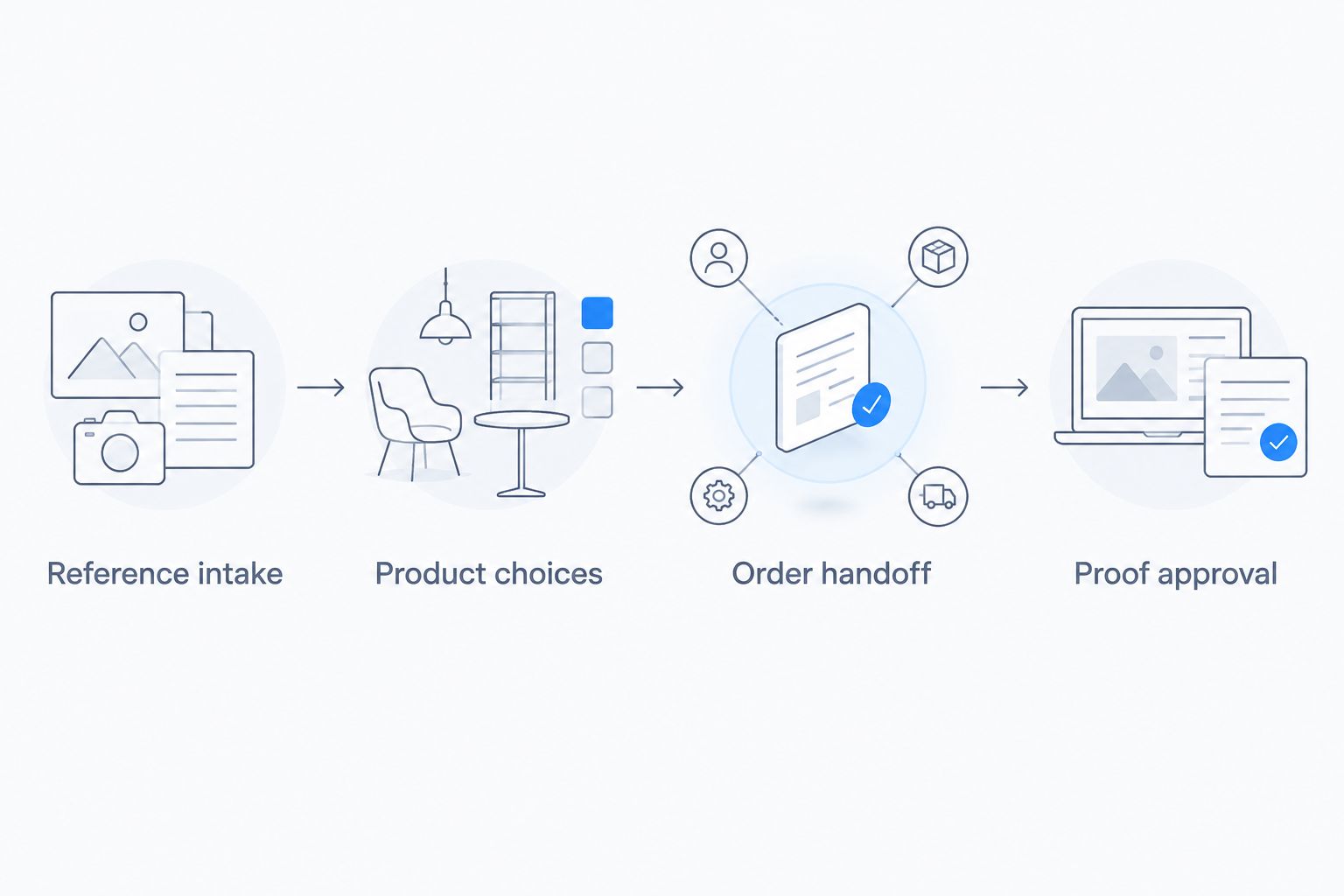
Test the full bobblehead order journey
Before launch, run 3 test orders as deliberate acceptance tests, not performance benchmarks. Use realistic dummy details and check the storefront, order record, and production brief.
Reference intake
Submit a suitable reference photo, then attempt an incomplete submission. Check how the interface explains the problem and whether your team can find the submitted file without asking the customer to send it again.
Product choices
Create an order containing 2 units with different base messages. Confirm that each message and reference stays attached to the correct item. A shared cart note is not an adequate substitute for item-specific instructions.
Order handoff
Give the order record to the person responsible for production. Ask that person to identify the reference, body choice, accessories, and exact base wording using only the information received.
Proof approval
Make 1 proof revision during the test. Check how your team distinguishes the original reference, the revised proof, and the customer's final approval. Do not leave the maker to infer which version is current.
Test the production handoff as carefully as the storefront form.
A failed test tells you where the workflow needs work. Fix that point before adding another app. More software does not resolve an unclear instruction or an undefined approval step.
Which Shopify bobblehead app should you choose?
Start with Bespo when your main requirement is live-preview personalisation for engraved or printed bases. That is the clearest fit for its stated Shopify product personalisation capabilities.
Choose Kickflip when the buying decision depends on seeing selectable components together. Choose Infinite Options when labelled fields are enough. Choose Upload-Lift when reference-photo collection is the missing step.
For a face-from-photo product, make intake and approval your first decision. For a predefined figure with personalised base wording, make the decoration workflow your first decision. Those are different products to configure, even if both are sold as custom bobbleheads.
Do not install every shortlisted app. Choose the smallest setup that passes your acceptance tests, and check overlapping widgets before combining tools on the same product page.
FAQ
What's the best Shopify app for custom bobblehead products in 2026?
Choose the app by the job: Bespo for supported base personalisation, Kickflip for visual component configuration, Infinite Options for structured selections, and Upload-Lift for reference-photo intake. None of those recommendations replaces a separate sculpture-approval process.
Which app should I use to collect bobblehead reference photos?
Upload-Lift belongs on the shortlist for product-page file uploads. Test that each reference stays attached to the correct order item and remains accessible to your maker.
Is a live product preview the same as a bobblehead proof?
No. A live preview shows the elements represented by the customiser, while a sculpture proof is used to approve the proposed likeness. Explain that distinction before customers order.
Do I need a visual configurator for every bobblehead product?
No. Structured option fields suit products where customers select predefined choices without needing a visual editor. Use visual configuration when seeing the selected components together helps customers choose.
Can a personalisation app manufacture the bobblehead for me?
Do not treat storefront personalisation as manufacturing. Confirm separately who creates the sculpture, what information that maker needs, and how approval reaches production.
How do I keep two personalised bobbleheads separate in one order?
Attach each reference, selection, and base message to its own order item. Test a multi-item cart before launch and inspect the production brief for ambiguous or shared instructions.
What should I check before installing multiple customisation apps?
Check for overlapping product-page controls and test the full order journey on your theme. Confirm that selections, reference files, and production instructions reach the right order item without duplication.
One last thing
Separate the reference photo from the approved proof. The reference tells your sculptor whom to depict; the approved proof tells production what the customer accepted.
Make that distinction explicit in your 2026 launch checklist. It is a more useful safeguard than adding another product-page field without deciding who reads it.