The blog
Product Personalization for Shopify Photo Studios (2026)


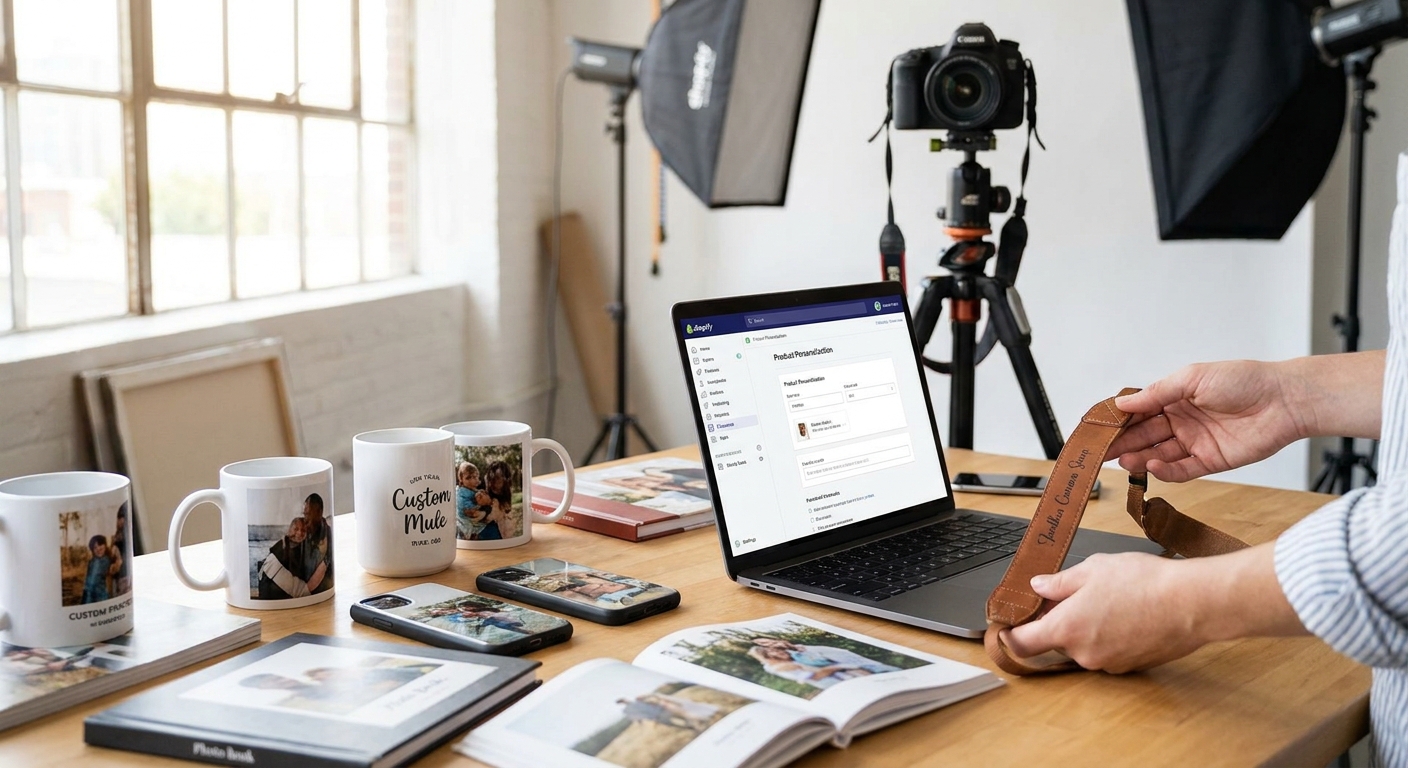
Photography-driven Shopify stores sell something print-on-demand stores don't: a real photograph the customer captured or a session your studio shot, turned into a physical product. Personalization here isn't picking a font off a template — it's handling an uploaded file, previewing it accurately, and getting it to print without losing a face in a bad crop.
TL;DR
- Product personalization for Shopify photography studios needs native image upload, not a generic customizer — Buy setups that validate file resolution before checkout.
- Photo book and gift customizers are the safe pick for 2026 launches with proven fulfilment paths.
- Family tree and star map layouts carry the highest AOV but need tighter proof approval steps.
- Skip static mockup tools — live preview accuracy is what separates a studio brand from a stock print shop.
Who this is for
This guide is for Shopify merchants running a photography studio storefront: session-based photographers selling canvas prints and wall art from client shoots, family-tree and star-map print shops building layouts from customer dates and locations, and photo book or photo gift brands taking uploaded images straight to fulfilment. If your product depends on a customer's own photo rather than a design template, the personalization stack you pick matters more than the theme you're on.
The core technical challenge is the same across all three: you need a storefront that lets a customer upload their own image, see an accurate preview of what that image looks like on the finished product, and hand you a production-ready file — not a screenshot — when the order comes through.
Why this matters
A generic Shopify customizer built for text-and-font personalization breaks the moment a customer uploads a 12-megapixel phone photo. Crop ratios get forced, previews render at low resolution, and by the time the order reaches your fulfilment queue you're guessing what the final print will look like. In 2026, studio brands lose orders and reprints to exactly this gap — not to bad photography, but to bad file handling.
Getting this right in 2026 is the difference between a customer trusting the preview enough to check out and a customer abandoning the page because the crop chopped off half a face.
What to look for in product personalization for Shopify photography studios
1. Native image upload with crop and rotate control
A text-only personalization app can't take a customer's photo. You need upload fields that let shoppers rotate, zoom, and reposition their image inside the print area before they buy — otherwise every third order arrives with the subject off-center.
2. Live preview that matches the final print
What the customer sees on screen has to match what ships. If the preview shows a bright, high-contrast render but the actual print uses a matte paper stock with muted tones, expect return requests and one-star reviews within the first few orders.
3. Resolution validation before a file reaches production
Phone photos vary wildly in quality. A setup that flags low-resolution uploads before checkout — instead of your production team catching it after the order ships to print — saves reprints and protects your margin on every custom order.
4. Variant-based pricing for size, frame and paper
Studio products scale in price with size and finish: an 8x10 print and a 24x36 canvas aren't the same job. Pricing personalized products by variant has to reflect that automatically, not through manual order edits.
5. A proof approval step before printing
High-cost items — a 24x36 canvas, a framed family tree print — justify a proof step where the customer confirms the layout before it goes to press. Skipping this on your priciest SKUs is where reprint costs pile up fastest.
6. Fast load times on mobile with high-res images
Most photography-studio traffic in 2026 is mobile, and a customizer that stalls loading a 5MB upload on a phone connection kills conversion before the customer ever sees a preview.
The setups worth building
Image upload and live preview foundation — the must-have. Every photography studio storefront needs this before anything else: a working upload field tied to an accurate preview. Bespo's guide on how to let customers upload their own images covers the field configuration and file-handling setup start to finish. Buy — this is the baseline, not an upgrade.
Photo book and gift bundle customizer — the safe pick. If your studio sells photo books, calendars, or gift sets built from client photos, this is the proven path: one guide covers product customizer setup for photo book and photo gift stores, including how gift-focused photo products handle multi-image uploads. Average order value on multi-photo gift sets runs higher than single-print SKUs because customers add pages, not just quantity. Buy for studios launching their first personalized catalog in 2026.
Family tree and star map layouts — the wildcard. Higher build complexity, higher payoff: these products pull in a date, a location, and sometimes multiple family photos into one layout, and customers pay a premium for the sentimental specificity. The guide on family tree and star map print setup walks through the data fields these layouts need beyond a simple photo upload. Consider this if your studio already handles life-event photography — engagements, births, weddings — since that's exactly the audience these products convert.
Art print and poster customizer — the volume play. For studios selling wall art at scale rather than one-off gifts, a dedicated art print and poster customizer handles higher order volume with less per-order complexity than family tree layouts. Consider if repeat, lower-ticket wall art is your core revenue rather than one-time gift moments.
Generic monogram or engraving add-on — the upsell. Adding a name or date engraving to a frame edge or print border is a low-effort upsell on top of an existing photo product, not a standalone offer. Consider as an add-on line only after your core upload-and-preview flow is stable.
What to avoid
- A customizer built only for text personalization. These apps look like they'll work because they have an "upload" checkbox buried in settings, but the crop and preview tools are an afterthought — test the upload flow yourself before committing.
- Static mockup previews instead of live rendering. If the preview is a pre-made template graphic with the photo dropped in flat, customers won't see actual color, crop, or finish — expect complaints after delivery.
- Fixed aspect-ratio crops with no repositioning. Forcing every upload into one crop ratio without letting the customer adjust framing is how you end up with cropped-off heads on a canvas print — and a refund request.
Set up photo personalization on Shopify
Add live-preview upload and personalization to your storefront in 2026.
Verdict comparison
Upload and preview foundation
- Upload support: Yes
- Live preview: Yes
- Proof approval: Recommended
- Best for: Every studio storefront — Buy
Photo book and gift customizer
- Upload support: Yes
- Live preview: Yes
- Proof approval: Optional
- Best for: First-time launches — Buy
Family tree and star map layouts
- Upload support: Yes, multi-field
- Live preview: Yes
- Proof approval: Recommended
- Best for: Life-event photography — Consider
Art print and poster customizer
- Upload support: Yes
- Live preview: Yes
- Proof approval: Optional
- Best for: High-volume wall art — Consider
Monogram or engraving add-on
- Upload support: No (text only)
- Live preview: N/A
- Proof approval: N/A
- Best for: Upsell only — Consider
FAQ
What's the best product personalization for Shopify photography studios in 2026?
A setup built around native image upload with live preview and file resolution checks, not a generic text-based customizer. Photo book and gift customizers are the fastest to launch; family tree and star map layouts carry higher order value but need more setup.
Do I need a live preview tool or is a static mockup enough?
A live preview is necessary once you sell anything above a basic print size. Static mockups misrepresent crop and color, which drives returns on higher-ticket items like canvas prints and framed pieces.
How much should I charge for personalized photo products?
Pricing should scale with size, frame, and paper stock as separate variants, not a flat surcharge. See the guide on pricing personalized products by variant for a working structure.
Is a proof approval step worth adding for photo prints?
Yes, on any SKU over roughly $50 — a proof step before printing catches cropping and color issues before they become a reprint cost. Skip it only on low-cost, low-risk items like small prints.
Can customers upload their own photos directly on a Shopify product page?
Yes, with an upload field configured for crop, rotate, and resolution checks. Without those controls, uploads arrive off-center or too low-resolution to print cleanly.
What resolution should I require for uploaded photos?
Most print shops flag anything under 150 to 300 DPI at final print size as too low for a clean canvas or framed print. Validating this before checkout, not after the order ships to production, avoids reprints.
Do family tree and star map prints need different personalization than standard photo prints?
Yes — these products pull in dates, locations, and sometimes multiple names or photos into one layout, which needs more data fields than a single-image upload. Setup complexity is higher, but so is the average order value.
Is mobile performance a real issue for photo upload customizers?
Yes, most photography-studio storefront traffic in 2026 is mobile, and large image uploads on a slow customizer stall the page before a customer sees a preview. Test the upload-to-preview time on a phone connection, not just desktop.
One last thing
The reprint requests that eat into studio margins almost never come from a bad photo — they come from a crop tool that didn't let the customer fix the framing before checkout. Fix the upload-and-preview step first in 2026, and the rest of the personalization stack gets a lot cheaper to run.