The blog
Conditional Logic for Shopify Customization (2026)


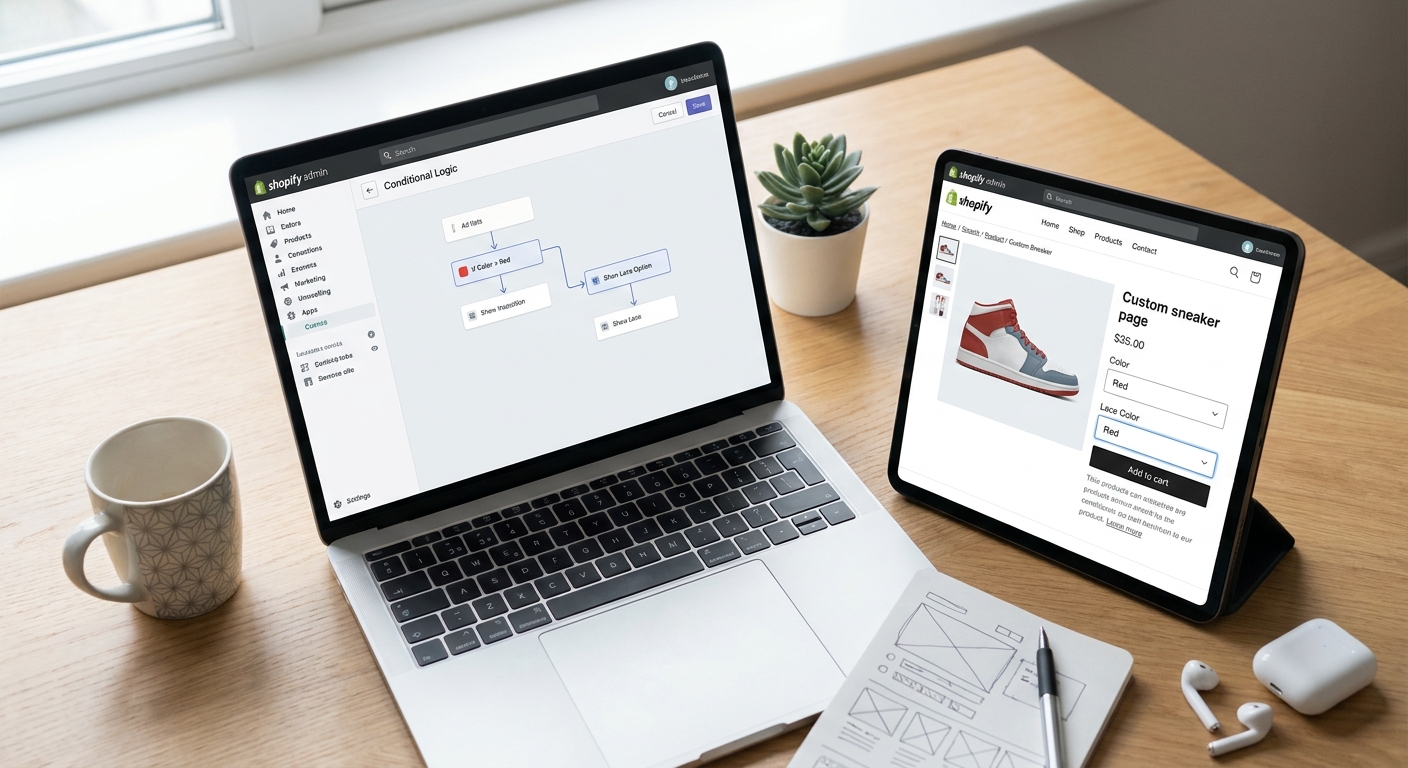
Conditional logic turns a cluttered options list into a customizer that only shows a shopper what applies to them — hide the monogram field until they pick "Personalize this item," swap fabric options once a color is chosen, and stop selling combinations that don't exist in production.
TL;DR
- Conditional logic shopify product customization means fields show or hide based on a prior choice — build the trigger option first.
- Bespo ties personalization fields to specific variants, so a text box only appears for eligible SKUs.
- Test every branch path before launch in 2026 — untested logic breaks checkout, not just the product page.
- Variant-linked pricing and multi-step forms are the two most common conditional logic requests from merchants.
Why this matters
A flat options list forces every shopper through every field, whether it applies or not. That's how you end up with a customer engraving a mug that doesn't ship with an engraving slot, or a checkbox for "gift wrap" showing on a product that has no gift wrap SKU.
Conditional logic fixes this at the source: the field only renders when the condition that makes it relevant is true. Fewer irrelevant fields means fewer abandoned customizer sessions and fewer support tickets asking "why can't I select this?" — a recurring complaint on stores running unconditional option lists in 2026.
What you'll need
- A Shopify product with variants already created (color, size, or material — whatever the condition depends on)
- A personalization app that supports variant-linked or rule-based fields — Bespo's customizer ties text, engraving, and print options to specific variants rather than showing them universally
- A clear map of trigger and dependent fields (see Step 1)
- 20-30 minutes to test every branch before publishing
- Theme editor access to add the customization block once logic is configured
The steps
1. Map every trigger and its dependent fields
Before touching any settings, write down every "if this, then that" pair on the product. If the shopper picks "Add embroidery," the thread color and text fields depend on that choice. If they pick "Leather strap," a color swatch for the strap depends on that.
This matters because most conditional logic failures in 2026 aren't app bugs — they're missing conditions the merchant never mapped out. Write the list on paper first. Expected outcome: a short table of trigger option, values, and the fields each value should reveal.
Common mistake: mapping only the "happy path" and forgetting what happens when a shopper picks "None" or backs out of a selection.
2. Decide where the logic lives
Shopify's native variant system controls price and inventory per combination, but it doesn't hide or show custom fields on its own — that logic has to live in the app layer. Confirm your personalization app reads variant selection and reacts to it in real time, not just on page load.
Bespo's customizer reads the selected variant and only surfaces the personalization options built for that variant, which is the mechanism behind adding a personalization text option to variants. Expected outcome: you know which layer — theme, app, or metafield — owns each rule.
3. Build the trigger option first
Set up the option that starts the chain — a checkbox, a dropdown, or a variant selector — before building anything downstream. If "Personalize this item" is a yes/no toggle, build that toggle and publish it standalone first.
Test that the trigger itself saves correctly and shows up in the cart line item. Expected outcome: the trigger option works in isolation, with no dependent fields attached yet.
Common mistake: building the dependent field first and the trigger second, which makes debugging which piece failed nearly impossible.
4. Attach dependent fields to each trigger value
Now link the fields that should only appear for specific trigger values. In Bespo, this typically means assigning the text, monogram, or engraving field to the variant or option value that qualifies for it, following the same variant-linked structure covered in pricing personalized products by variant.
Set character limits, required/optional status, and validation rules on each field at this stage — not after launch. Expected outcome: the dependent field appears only when its trigger value is active, and disappears cleanly when the shopper switches away.
5. Layer in multi-step logic for complex products
Products with three or more decision points — say, uniform sizing, then name, then number — benefit from breaking the customizer into steps rather than one long form. Each step only unlocks once the prior one is valid, which is its own form of conditional logic.
This is the pattern behind multi-step customization forms on Shopify, and it's the right call once a single product page has more than 4-5 interdependent fields. Expected outcome: shoppers move through a guided sequence instead of scanning a wall of options.
6. Set the live preview to update on every branch
Whoever built the trigger and dependent fields needs to confirm the live preview reflects every combination, not just the default one. A preview that only updates for the first variant but freezes on the second is a common launch-day bug.
Check this against the setup in live preview for a Shopify product customizer. Expected outcome: switching triggers instantly updates the visual preview, with no stale renders.
7. Test every branch, not just the default one
Go through every trigger value and confirm the correct dependent fields show, the wrong ones stay hidden, and the price updates if the option carries a surcharge. Do this on desktop and mobile separately — mobile theme editors sometimes render conditional blocks differently.
Expected outcome: a checklist of every branch, each marked pass or fail, before you touch the publish button.
8. Publish, then monitor the first orders
Launch the logic live and pull the first 10-20 orders that use a conditional field. Check that the production file generated for fulfillment actually reflects the option the customer selected — not a default value.
Expected outcome: fulfillment-ready files match what the shopper saw in the live preview, on every order, for at least the first week after launch in 2026.
Set up conditional customization now
See how Bespo ties personalization fields to variants and live preview.
Troubleshooting
- Dependent field won't hide after the trigger is unchecked — the field is likely bound to the product, not the specific option value. Rebind it to the exact variant or option value in the app settings.
- Price doesn't update when a conditional field is filled in — check whether the surcharge is set on the option itself or on a separate line item; conditional fields sometimes need the surcharge applied at the field level, not the variant level.
- Live preview freezes on one variant — clear the theme cache and confirm the preview script is reading the current variant ID, not a cached first-load value.
- Fulfillment file shows the default text instead of the customer's input — the field mapping between the customizer and the order export likely broke when a new option value was added; re-map it before the next batch export.
- Mobile customizer shows all fields regardless of trigger — some themes render conditional blocks differently on mobile breakpoints; test the exact mobile viewport, not just a resized desktop browser.
- Shoppers abandon mid-form on multi-step products — the step is likely asking for information before showing why it matters; move the live preview earlier in the sequence.
Tools and resources
- Add a personalization text option to variants — the base pattern for variant-linked conditional fields
- Price personalized products by variant — for conditional fields that carry a surcharge
- Multi-step customization forms — for products with 3+ dependent decision points
- Live preview setup for a Shopify customizer — confirm every branch renders correctly before launch
What to do next
Once the trigger-and-dependent-field structure works on one product, apply the same map to every product in the collection that shares the same variant structure — don't rebuild the logic from scratch each time. If the product has more than three decision points, move straight to the multi-step customization forms guide instead of stacking conditional fields on a single page.
FAQ
What is conditional logic in Shopify product customization?
Conditional logic shows or hides a personalization field based on a prior choice, like revealing an engraving text box only after a shopper selects the engraved variant. It keeps the customizer relevant to the specific product configuration instead of showing every option to every shopper.
Does Shopify support conditional logic natively?
Shopify's variant system controls price and inventory per combination but doesn't hide or show custom fields on its own in 2026. That behavior has to come from a personalization app or custom theme code that reads the selected variant.
Can conditional fields be tied to specific variants?
Yes — apps like Bespo bind personalization fields to specific variant or option values, so a text field only appears for the SKUs it applies to. This is the same structure used for variant-based personalization text options.
How much does it cost to add conditional logic to a Shopify customizer?
Cost depends on the app and plan tier rather than the logic itself, since most personalization apps include conditional or variant-linked fields as part of the core builder rather than a separate add-on. Check current app pricing directly before budgeting.
Why does my dependent field keep showing after I hide the trigger?
The field is likely bound to the product level instead of the specific option value that should trigger it. Rebinding it to the exact variant or option value usually resolves this.
Is conditional logic necessary for simple products with one option?
No — a single-option product with one personalization field doesn't need conditional logic since there's nothing to hide or reveal. It becomes worthwhile once a product has 2 or more interdependent choices.
How do I test conditional logic before launch?
Go through every trigger value manually on desktop and mobile, confirming the right fields show, the wrong ones stay hidden, and the live preview updates for each branch. Skipping this step is the most common cause of launch-day customizer bugs.
Does conditional logic affect the fulfillment file?
Yes — the production file generated for fulfillment needs to reflect the exact option a customer selected through the conditional path, not a default value. Pull the first 10-20 orders after launch to confirm the mapping is correct.
One last thing
Most conditional logic failures trace back to Step 1, not the app: merchants build the dependent field before mapping every trigger value, including the "none selected" state. Write the full trigger-to-field table before opening any app settings in 2026 — it turns a multi-hour debugging session into a 20-minute build.